Collect Maintenance Requests with a QR Code, No Login Needed, Using MaintainNow
Stick a QR code on the elevator. Anyone who spots a problem scans it and reports it in a minute, with no app or account. You approve it into a work order.
Picture this: you print a small QR code and stick it inside the elevator. One morning the doors keep opening and closing without moving. A resident scans the code with their phone camera, and the form already knows it's Elevator W1 in the West Building. They type one line, add their email and tap Submit. No app, no account, no password. Seconds later the request is sitting in your MaintainNow queue, and the resident gets an email update every time its status changes.
What you get:
- No login for requesters. Tenants, staff, guests and customers report problems from any phone browser with just their email.
- QR codes for every asset or the whole site. The asset name and location are filled in for them, so reports arrive complete.
- Requesters are free. People using the portal don't need an account, and users with the Requester role don't count toward your paid licenses.
- You stay in control. Review each request, then approve it into a work order or deny it, or turn on auto-approve.
- Requesters are kept informed. Automatic email updates and a status page, so fewer "any update?" calls.
Start free and print your first request QR code → The free plan lets you try it with your own building today.
Before and after
Without a request portal, problems reach you by hallway conversations, sticky notes, texts to someone's personal phone and emails that get buried. Half of them are missing the room or the machine, nobody knows if anyone is on it, and the same issue gets reported five times.
With MaintainNow, every report goes through one form, lands in one queue with the asset and location attached, and becomes a tracked work order once you approve it. The person who reported it can check progress themselves.
1. Put a QR code where problems happen
Open Request Portal in MaintainNow. You get an all-purpose portal link and QR code for posters, signs or emails. Under Asset-Specific Portals, pick an asset (here Elevator W1) to get its own QR code. When someone scans it, the form shows that asset and its location automatically.
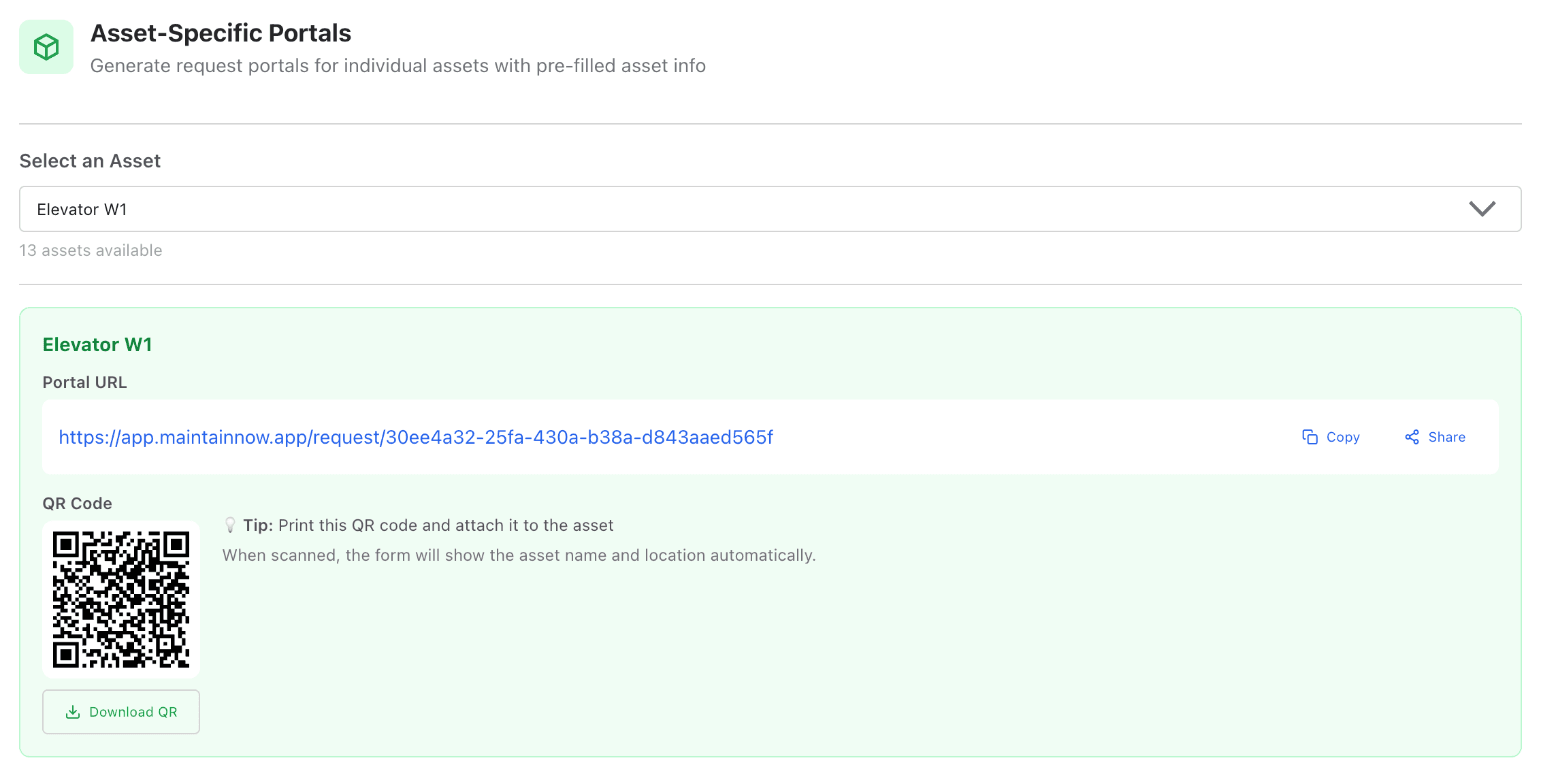
Have lots of equipment? Bulk QR Code Download creates a print-ready PDF of QR labels grouped by location, so you can label a whole building in one go.
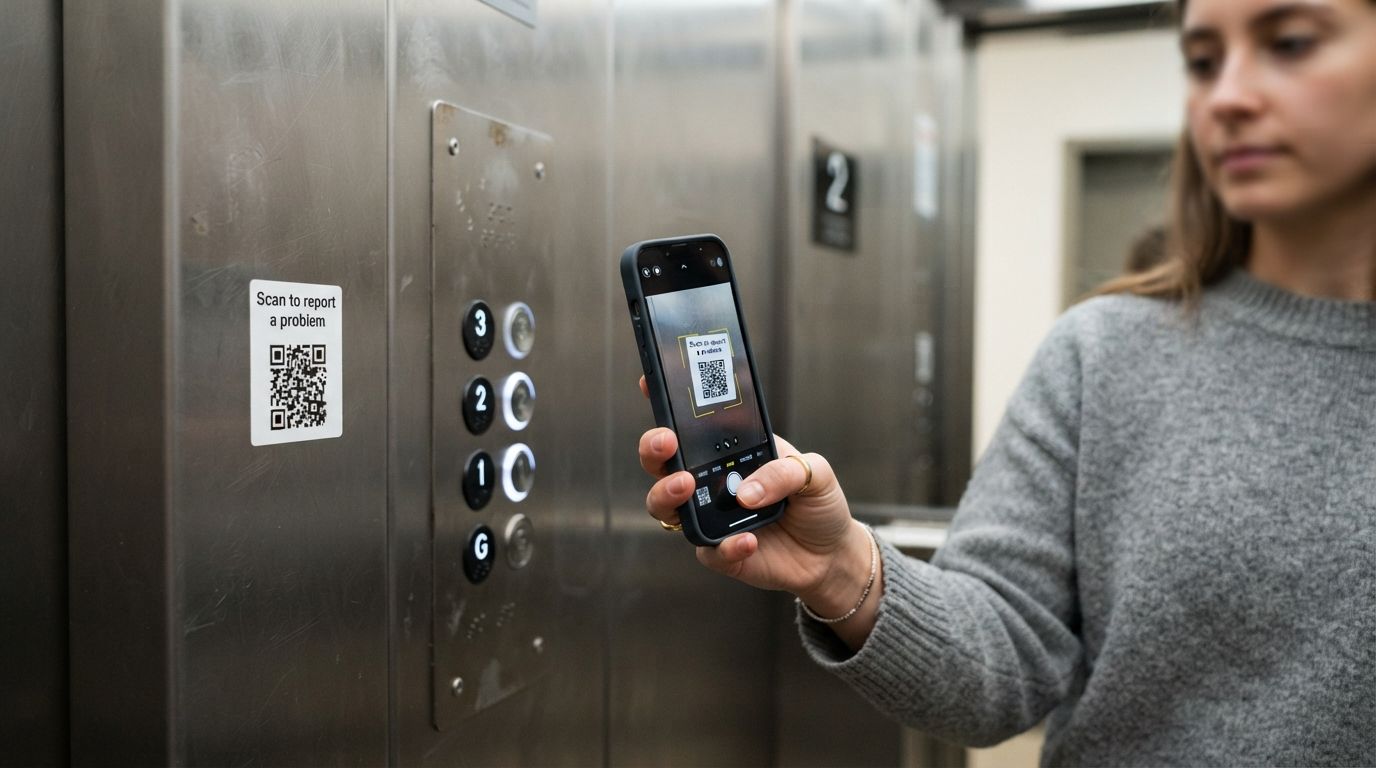
Illustration: the elevator sticker in action. One scan opens the request form.
2. Anyone reports a problem in about a minute
Scanning the code opens a simple web form on the phone. There's no app to install and no login. The asset and location are already there. The requester describes the problem, can add up to 5 photos, and enters their email so they can check the status.
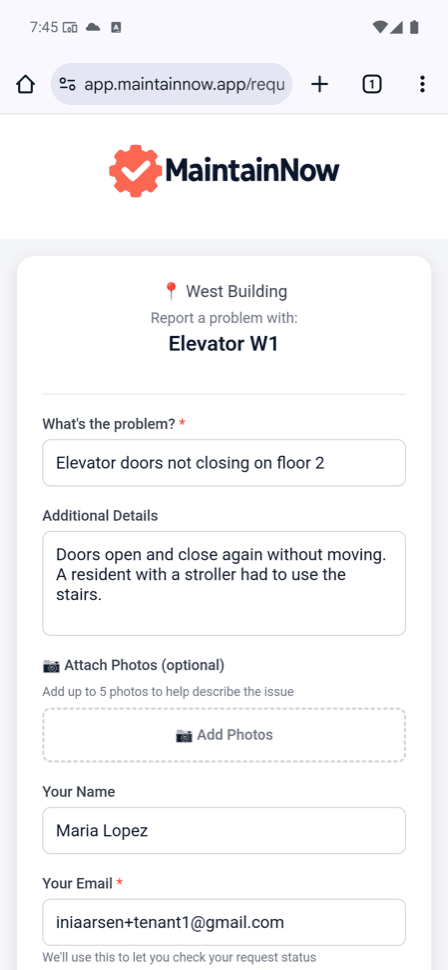
They tap Submit Request and they're done. MaintainNow tells them the maintenance team has been notified and sends a confirmation email.
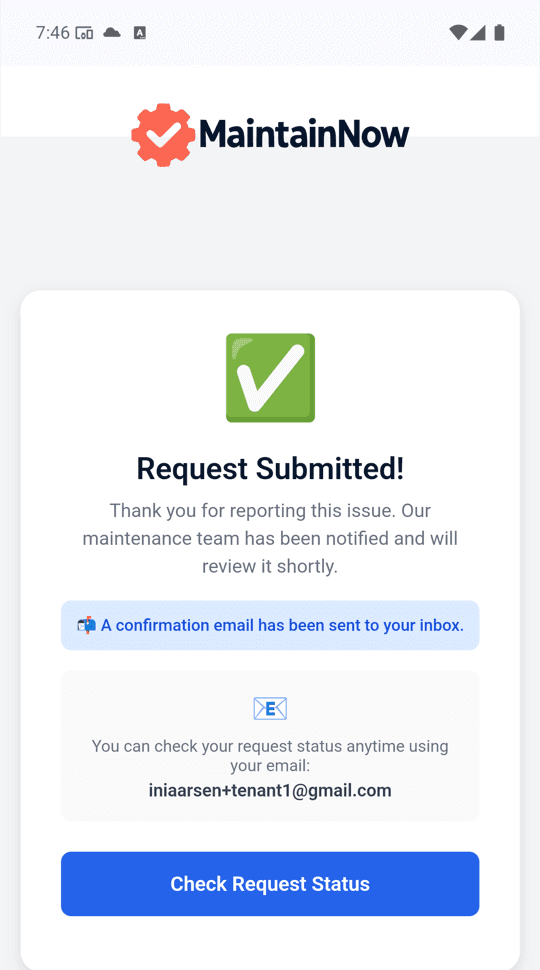
3. Review it and decide
The request shows up instantly under Work Requests → Open requests to review, marked as a Portal Submission with the requester's name and email, the asset and the location. Adjust the priority, due date and assignee, then choose Approve Work Request or Deny Work Request (with a denial reason).
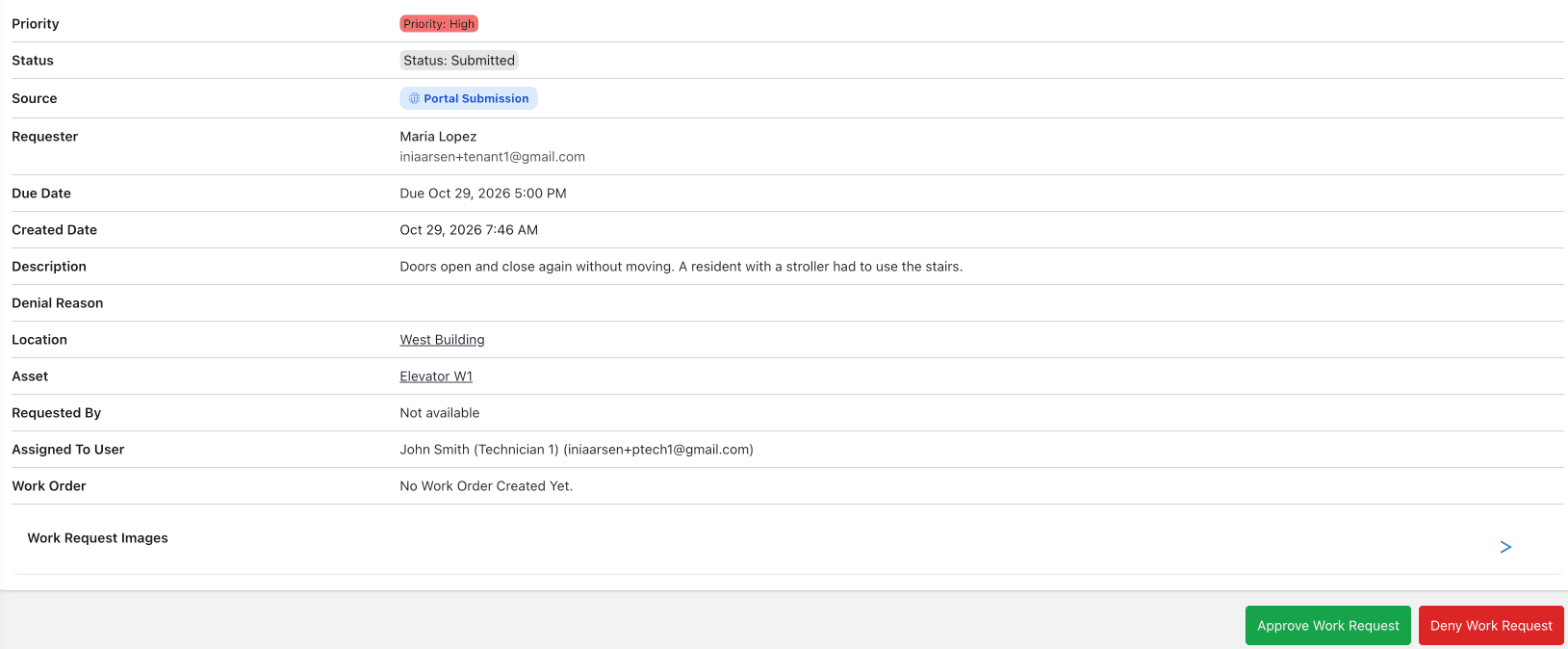
If you'd rather skip the review step, switch on Auto-approve new Work Requests.
4. Approving creates the work order
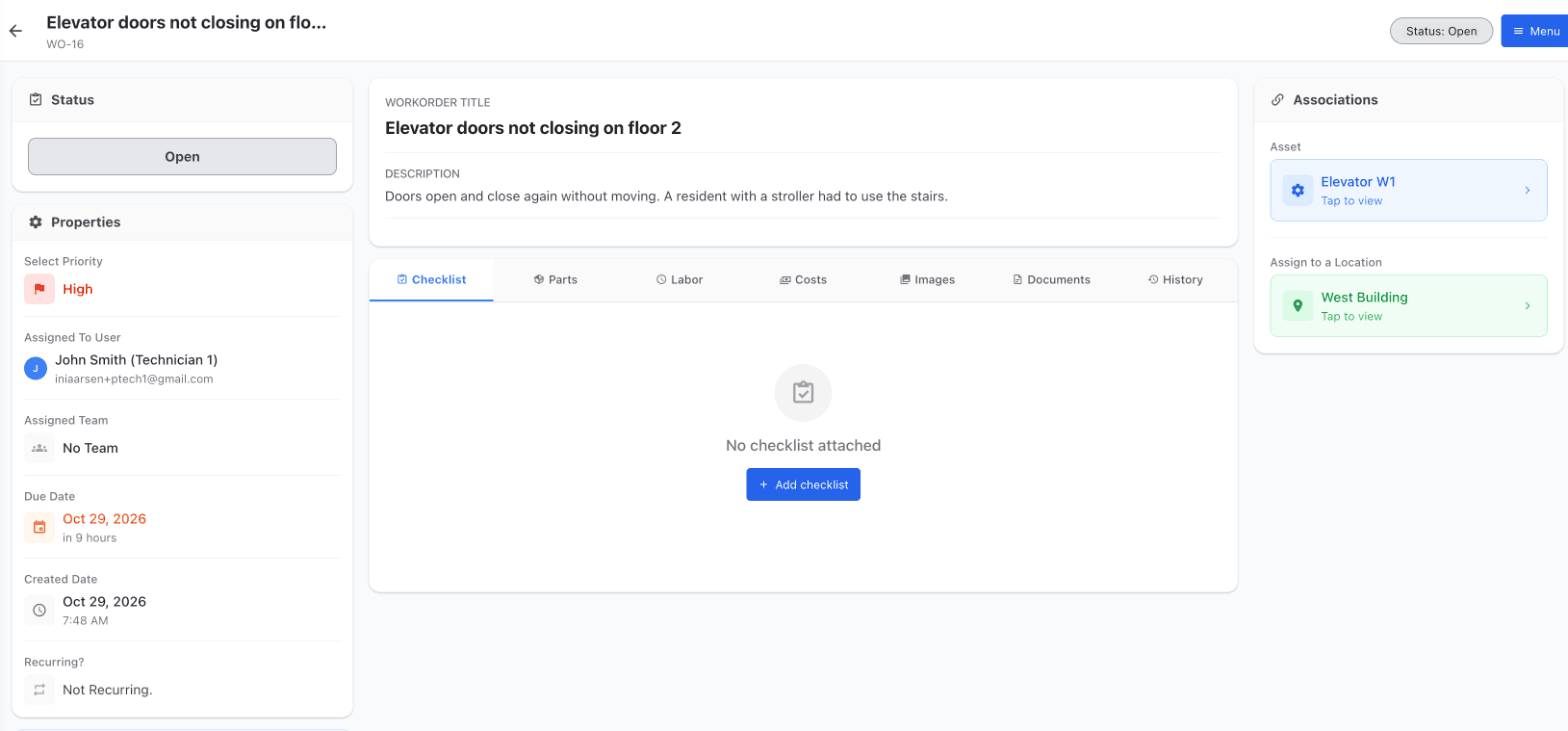
One click on Approve creates a work order (here WO-16) with everything carried over: title, description, priority, assignee, due date, asset and location. Your technician takes it from there, and closing it records the time spent, the cost and completion notes.
5. The requester sees it's fixed
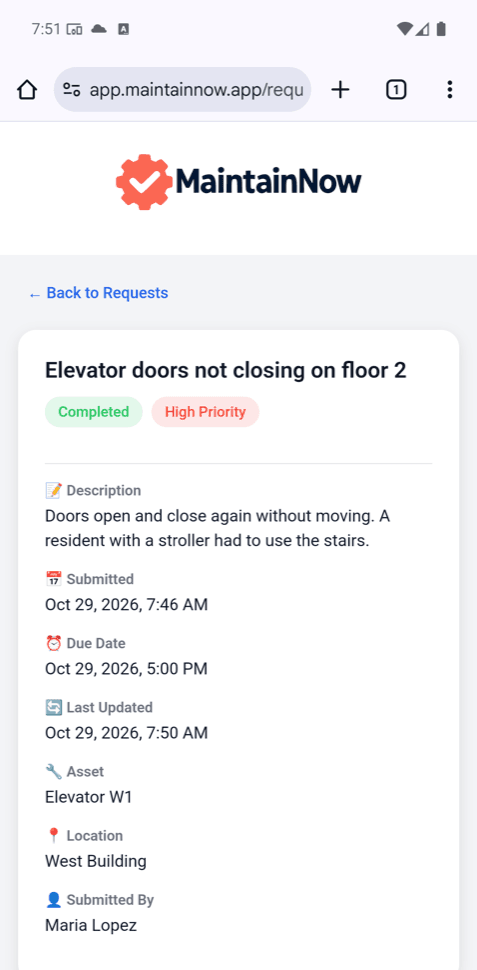
Requesters get an email whenever the status changes. They can also open the status page and enter their email to see every request they've submitted, here marked Completed, with no account needed.
Questions people ask
Do people need an account or an app to submit a maintenance request?
No. The request portal works in any phone or computer browser. Requesters only enter their email so they can track the request.
Do requesters cost extra?
No. Anyone can submit through the public request portal without an account. If you add people as users with the Requester role, they don't count toward your paid licenses.
Can I put a QR code on a specific machine or room?
Yes. Every asset can have its own portal link and QR code that pre-fills the asset and its location, and you can download all of them as a print-ready PDF grouped by location.
Do submitted requests become work orders automatically?
Only if you want them to. By default you review each request and approve or deny it. Approving creates a work order with the request's details. You can also turn on auto-approve.
How do requesters know what's happening?
They get automatic email updates when the status changes, and they can check all their requests anytime on the status page using their email.
Can requesters attach photos?
Yes, up to 5 photos per request.
Related guides
Give everyone one place to report problems
Print a QR code today and stop chasing requests across texts and sticky notes. Start free with MaintainNow →
Set this up in your own facility
Start a free MaintainNow trial and follow these same steps with your own equipment.
Download the Mobile App:


✅ No credit card required • ✅ 30-day money-back guarantee • ✅ Setup in under 24 hours