Digital Inspection Checklists Your Technicians Fill In on Their Phone
Replace paper inspection forms with checklists technicians complete on their phone. Pass/fail checks, readings and notes reach the office instantly.
Picture this: your technician opens the air handler, checks the filter, reads the supply air temperature and spots a cracked fan belt. Instead of a clipboard form that gets typed up later (or lost), they tap the answers into their phone. You see "Fan belt: Worn" in the office before they've closed the panel.
In about 5 minutes you'll have:
- A reusable inspection checklist with pass/fail checks, number readings, multiple choice and notes.
- The checklist attached to the job, on any work order or built into a preventive maintenance plan.
- Technicians filling it in on their phone, step by step, with progress shown as they go.
- Results in the office straight away, saved with the work order for audits and follow-up.
There's a free plan, so you can try it with your own inspections today.
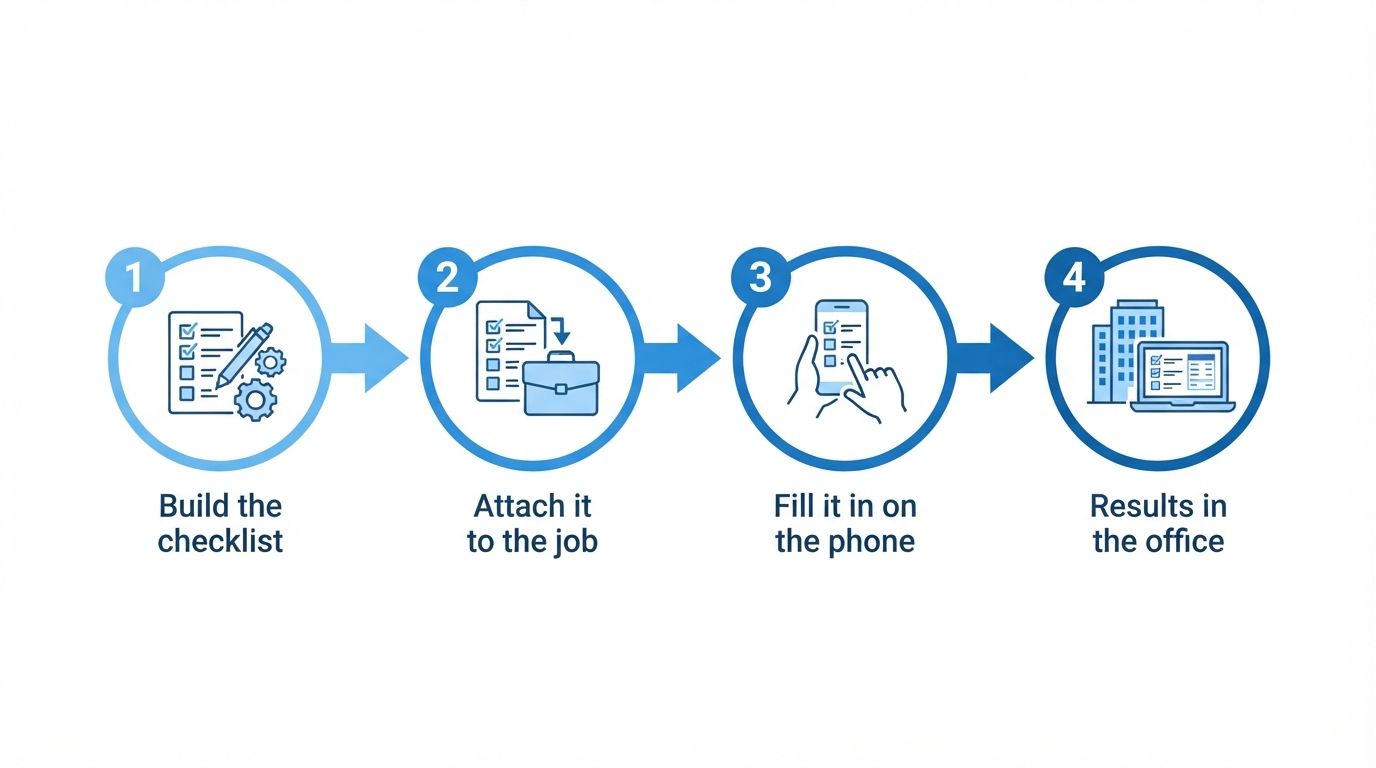
Illustration: from template to completed inspection in four steps.
Before and after
With paper forms, inspections get done differently by every technician, readings are hard to read or missing, and the forms sit in a truck until someone types them up. When an auditor asks for last month's inspections, someone goes through a filing cabinet.
With MaintainNow, everyone follows the same steps, answers are typed or tapped instead of scribbled, and every completed checklist is stored with its work order. It's your maintenance SOP, built into the job.
1. Build the checklist once
Go to Checklist Templates and click Add Checklist Template. Give it a title, then add steps. For each step, pick an answer type:
- Inspection Check: Pass, Fail or Flag.
- Number: a reading such as a temperature, pressure or hours.
- Multi Choice: your own options, separated by commas (here Good, Worn, Replaced).
- Short Answer (Text): notes and observations.
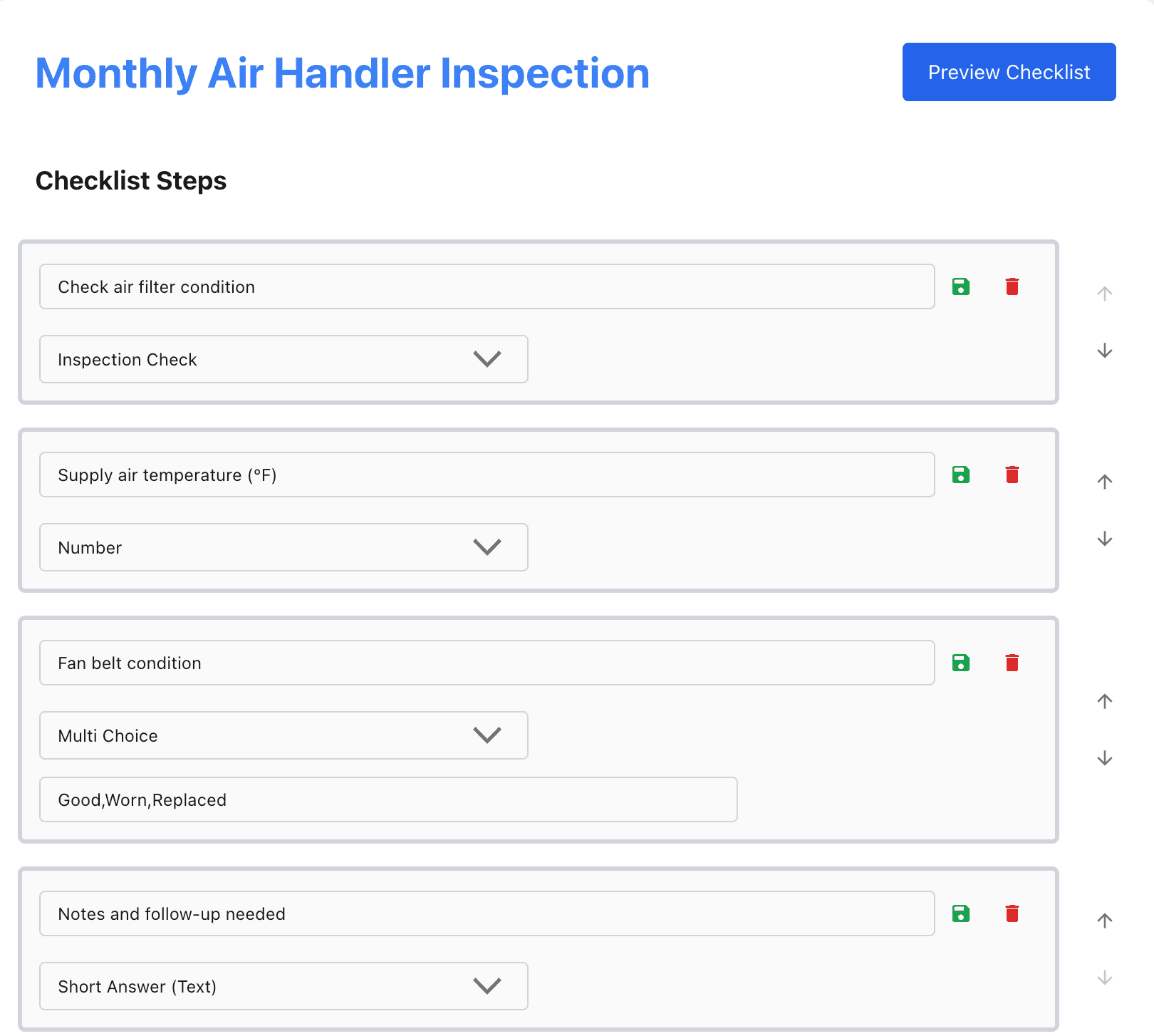
Reorder steps with the arrows and click Preview Checklist to see exactly what technicians will see. Editing a template later only changes future uses, never checklists already completed.
2. Attach it to the job
Attach the template to any work order with Add checklist, from the web app or right on the phone. For recurring work, add it to a maintenance plan and every work order the plan creates arrives with the checklist already attached. That's a preventive maintenance checklist that runs itself.
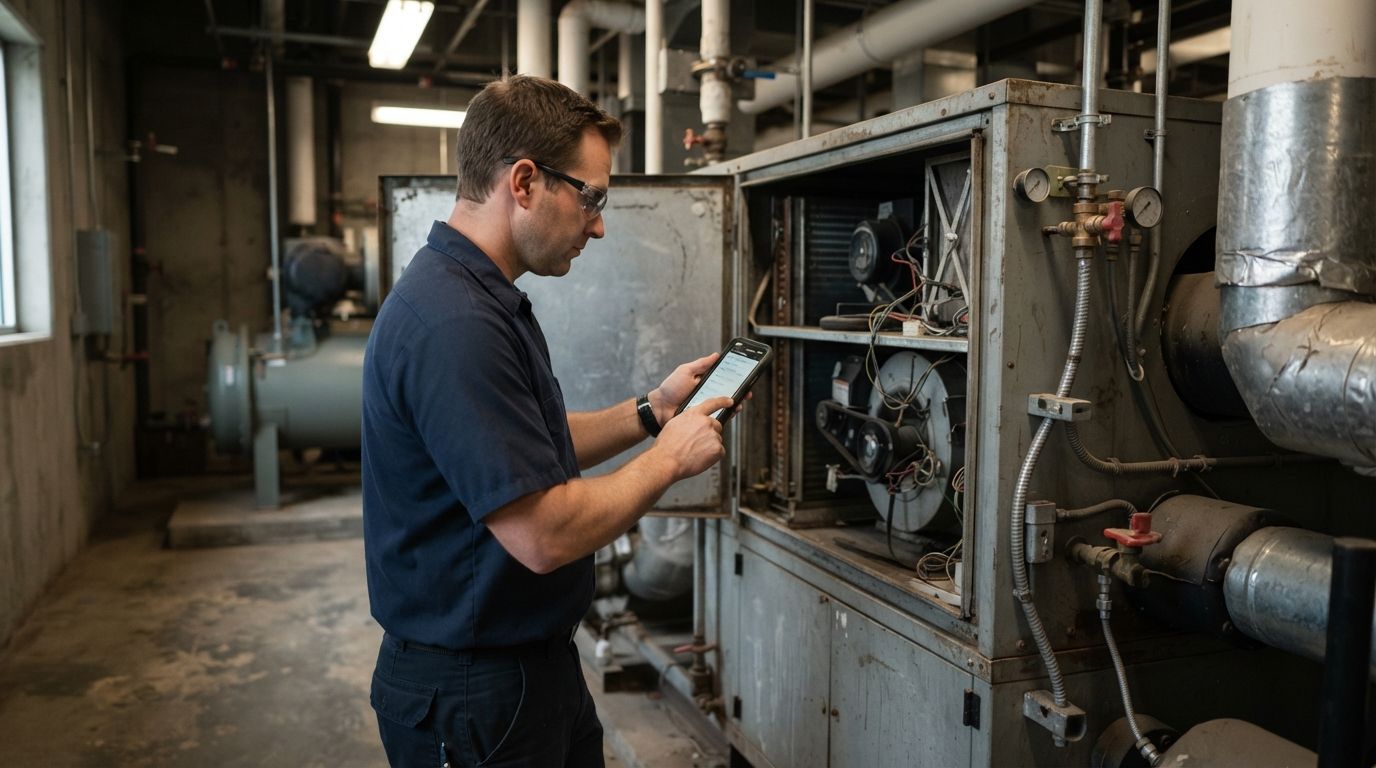
Illustration: the inspection happens at the machine, with the checklist on the phone.
3. Technicians fill it in on their phone
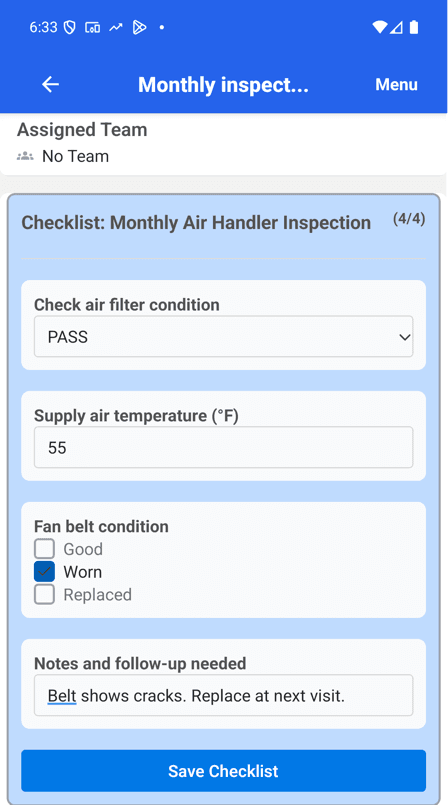
In the MaintainNow app, the checklist sits right on the work order. The technician picks PASS, types the reading, ticks Worn and adds a note, and the counter shows 4/4 when every step is done. Save Checklist stores it.
4. See the results in the office
On the web app, the work order's Checklist tab shows 4 / 4 completed with every answer. The worn belt and the note are there for whoever plans the next visit, and the whole inspection stays on record with the work order.
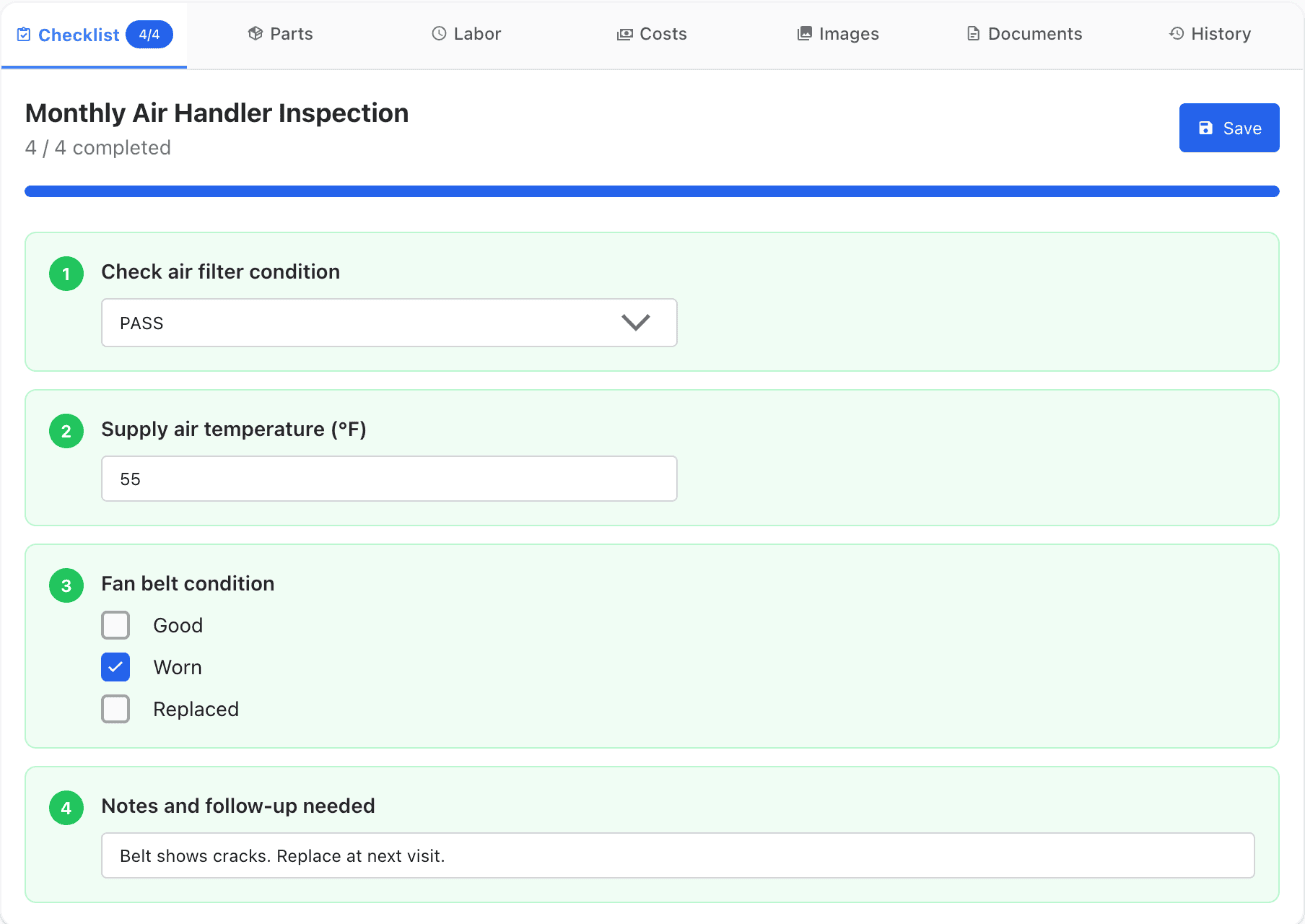
Once the work order is completed, its checklist can no longer be changed, so your inspection records stay as they were filled in.
Questions people ask
Can technicians fill in inspection checklists on their phone with MaintainNow?
Yes. Checklists attached to a work order appear in the MaintainNow phone app, where technicians answer each step and save.
What types of questions can a checklist have?
Four: Inspection Check (Pass, Fail or Flag), Number, Multi Choice with your own options, and Short Answer text.
Can checklists be added to preventive maintenance automatically?
Yes. Add a checklist template to a maintenance plan and each work order it creates includes that checklist.
Can I see completed checklists from the office?
Yes. Each work order's Checklist tab shows how many steps are complete and every answer.
How many checklists can one work order have?
One checklist template per work order. Put everything for that job into a single template.
Related guides
- Automate preventive maintenance in 5 minutes
- Create and assign a work order in under a minute
- Track spare parts inventory with low-stock alerts
Retire the clipboard
Turn your most-used paper form into a checklist today.
Start free with MaintainNowSet this up in your own facility
Start a free MaintainNow trial and follow these same steps with your own equipment.
Download the Mobile App:


✅ No credit card required • ✅ 30-day money-back guarantee • ✅ Setup in under 24 hours