Import Your Asset List from Excel into MaintainNow in Minutes
Already have your equipment in a spreadsheet? Import it into MaintainNow with a CSV template, catch mistakes before they land, and go live today.
Picture this: your equipment list lives in a spreadsheet someone started years ago, plus a binder in the maintenance office. Switching to a CMMS sounds like weeks of typing. With MaintainNow you paste that list into a template, upload it, and your whole building is in the system, on every technician's phone, before lunch.
In about 10 minutes you'll have:
- Your whole equipment list in MaintainNow, with locations, make, model, serial numbers, criticality and purchase price.
- Mistakes caught before they land: every row is checked and problems are shown before anything is imported.
- A QR code for every asset, created automatically so technicians can scan it.
- Everything on your team's phones right away.
There's a free plan, so you can try it with your own spreadsheet today.
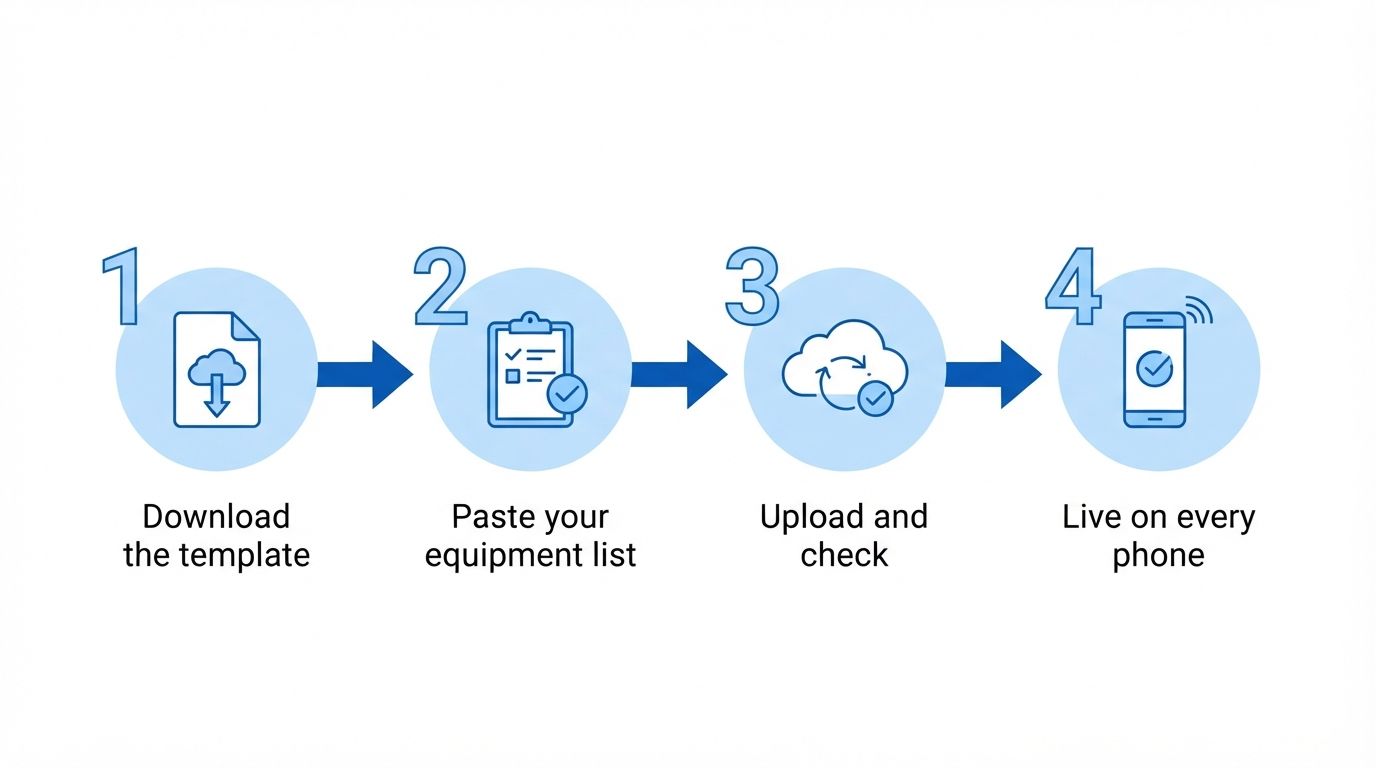
Illustration: from spreadsheet to live system in four steps.
Before and after
Without an import, getting started with a new system means typing every machine in by hand, so setup drags on for weeks and the old spreadsheet never really goes away.
With MaintainNow, the spreadsheet you already have becomes your asset list. You fix any problems the import finds, upload again, and you're done. That's what makes a CMMS implementation take a day instead of a quarter.
1. Download the template
Go to Assets and click Import. The first step, Download Template, gives you a CSV file with every column MaintainNow understands and an example row.
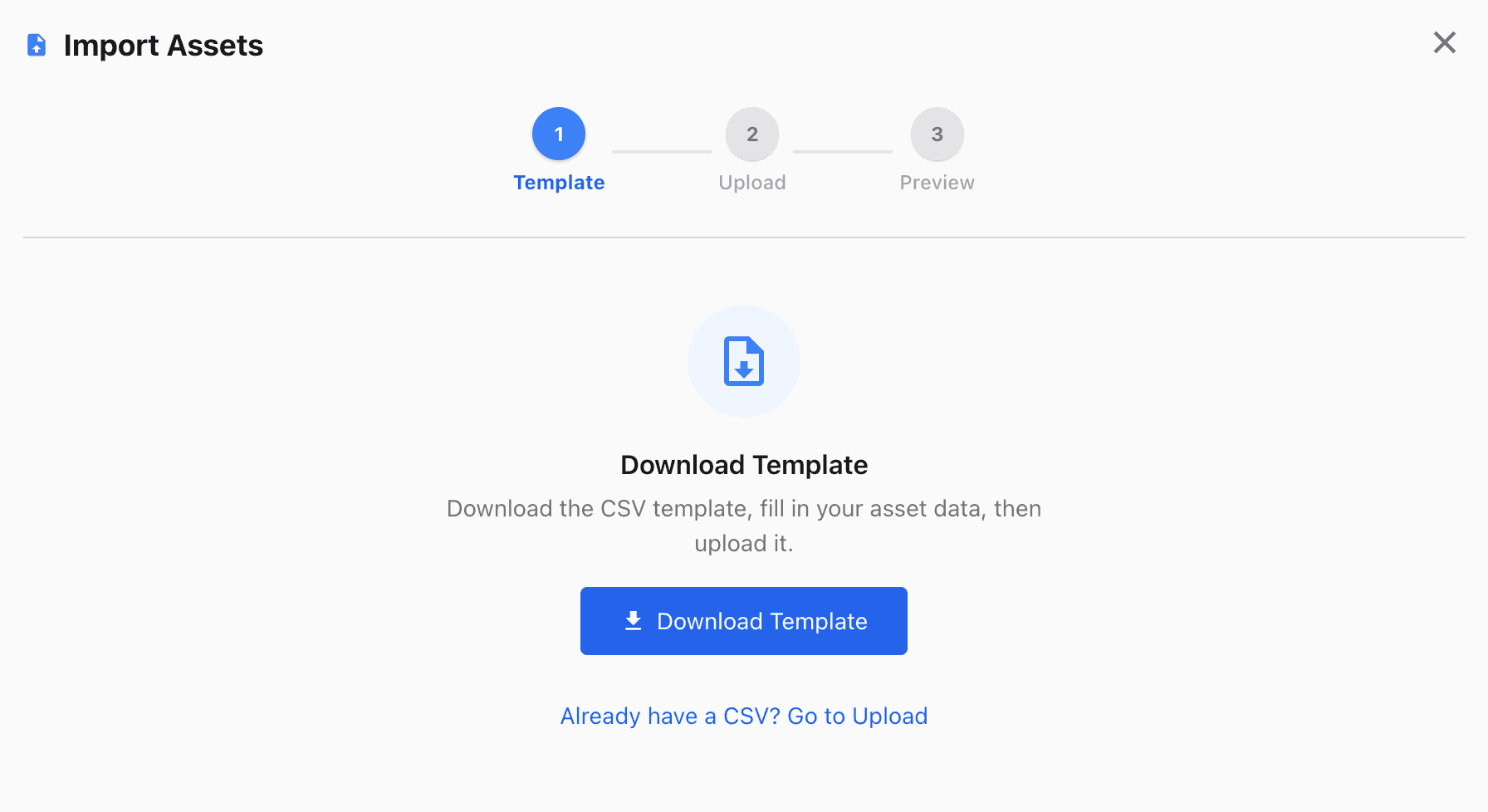
Only Name is required. Fill in as much of the rest as you have: Description, Location Name, Parent Asset Name, Make, Model, Serial Number, Reference Number, Barcode, Status, Criticality, Purchase Price, Residual Value, Life Estimate (Years), Warranty Notes, Notes and Special Permit Required.
Working in Excel or Google Sheets? Copy your columns into the template and save it as CSV.
2. Upload it and let MaintainNow check every row
Upload the file and the Preview shows every row with a status before anything is saved. Here two rows need attention: one uses a location that doesn't exist (Roof Top), and one points to a parent asset that isn't in MaintainNow yet.
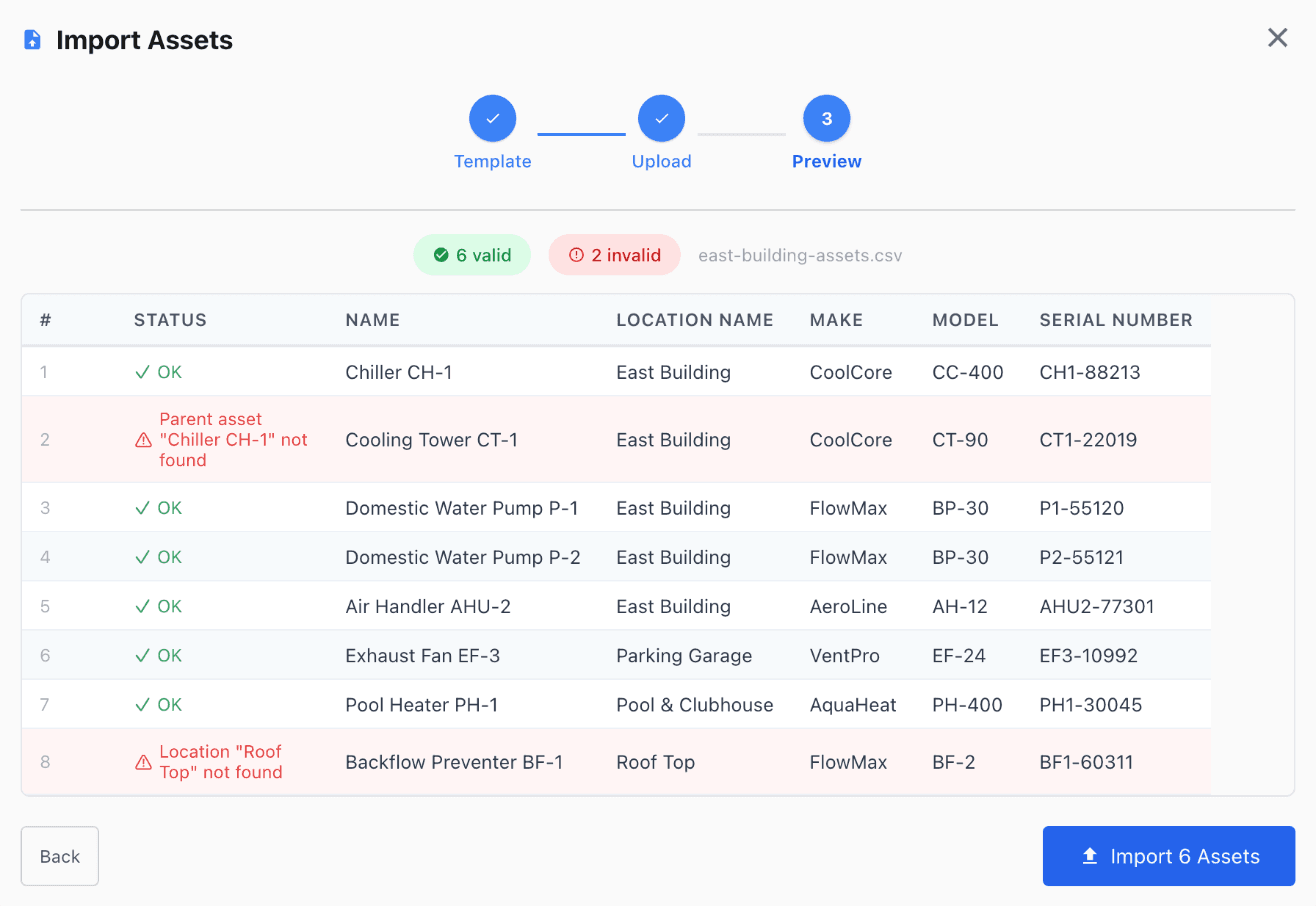
You can import the valid rows right away and fix the rest in a second file, which is what we did here.
3. Import
Click Import and MaintainNow tells you how many assets were added.
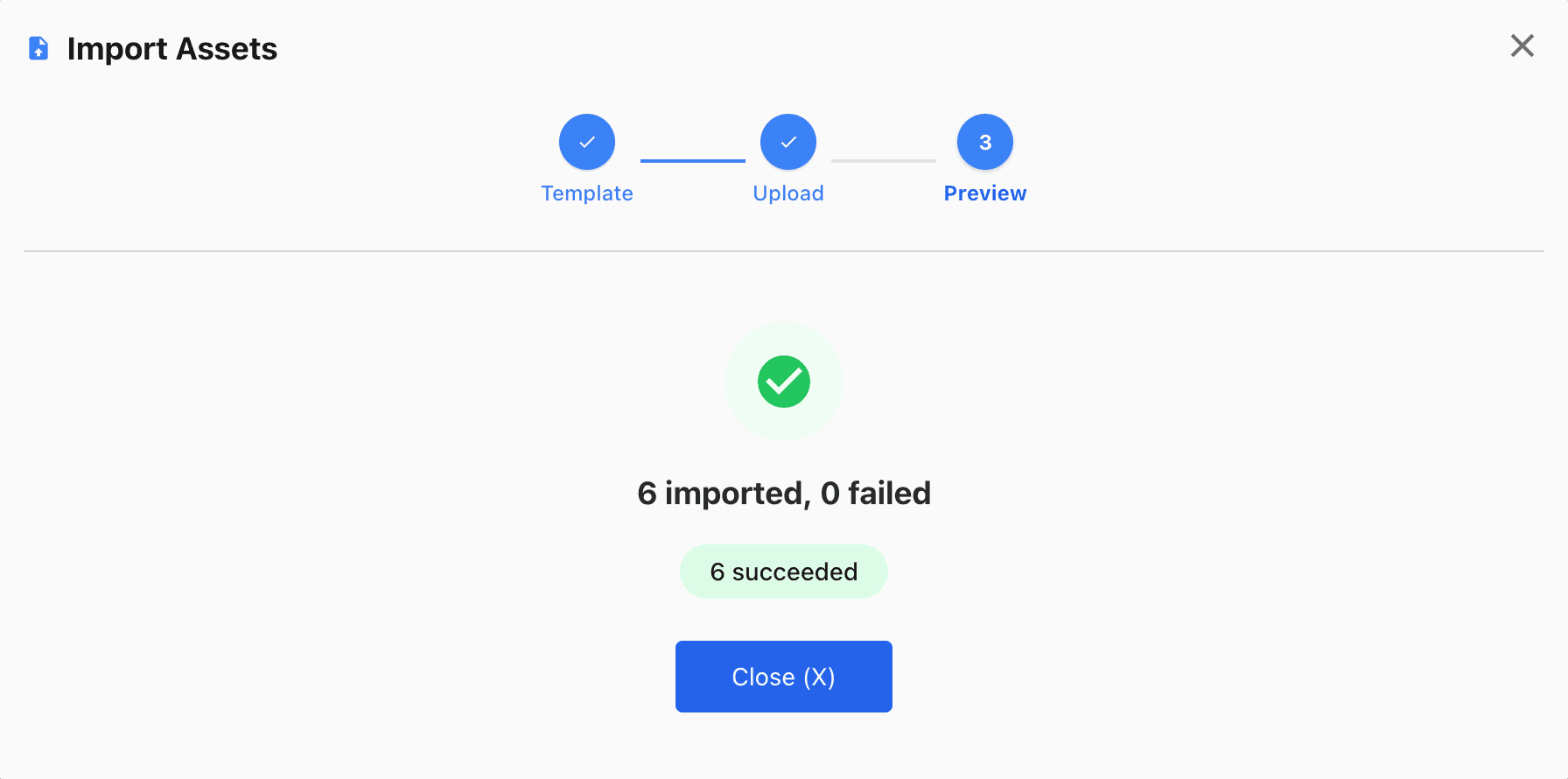
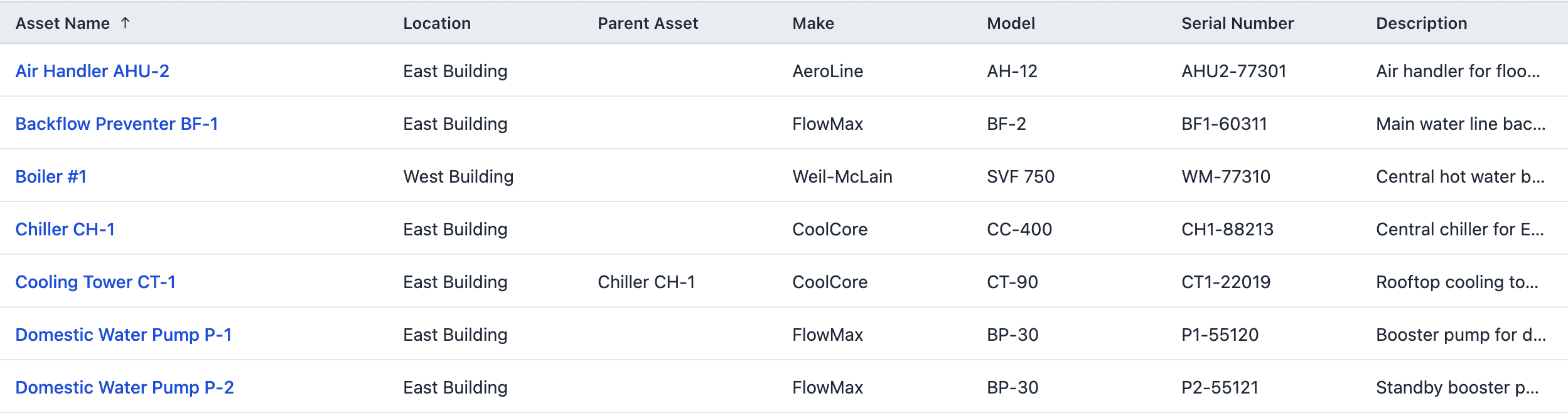
Then we uploaded a second file with the two fixed rows. Now that Chiller CH-1 existed, Cooling Tower CT-1 was linked to it as its parent, building your asset hierarchy automatically.
4. Your team has it on their phones
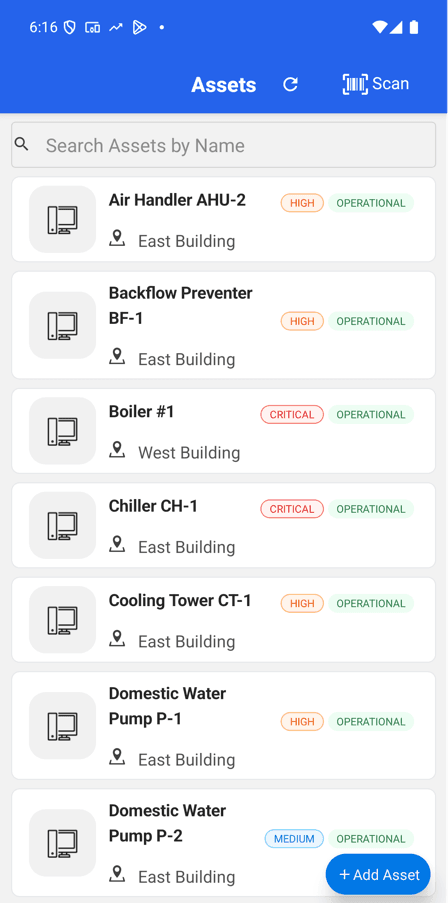
The imported assets show up in the MaintainNow phone app straight away. Each one got its own QR code, so technicians can scan a machine to see its maintenance history from day one.
Tips for a clean import
- Import locations first. Locations has its own Import with Name, Description, Address and Mobile Number. Asset rows are matched to locations by name.
- Parents before children. A parent asset has to exist before you import the assets under it. Import parents in one file and children in the next.
- Use the app's values for Status (Operational, Down, Under Maintenance, Retired or Disposed) and Criticality (Low, Medium, High or Critical).
- Already have barcodes on your equipment? Put them in the Barcode column. Leave it empty and MaintainNow creates a QR code for you.
Questions people ask
Can I import assets from Excel into MaintainNow?
Yes. Download the CSV template from Assets → Import, copy your Excel columns into it, save it as CSV and upload it.
What information is required to import an asset?
Only the asset's name. Every other column is optional.
What happens if my spreadsheet has mistakes?
The preview checks every row before importing. Rows with a location or parent asset that doesn't exist, or a non-number in a number field, are marked invalid and skipped, and you can import the valid rows.
Can I import locations too?
Yes. Locations has its own CSV import with name, description, address and mobile number.
How long does it take to set up MaintainNow?
If your equipment is already in a spreadsheet, importing it takes minutes. Add your team and you can start creating work orders the same day.
Related guides
- Track equipment maintenance history with QR codes
- Automate preventive maintenance in 5 minutes
- Create and assign a work order in under a minute
Go live today
Your equipment list is already written down. Put it to work.
Start free and import your assetsSet this up in your own facility
Start a free MaintainNow trial and follow these same steps with your own equipment.
Download the Mobile App:


✅ No credit card required • ✅ 30-day money-back guarantee • ✅ Setup in under 24 hours