Track Equipment Maintenance History with QR Codes in MaintainNow
Put a QR code on every machine. Technicians scan it with their phone and see every past repair, cost, note and PM before they start work.
Picture this: the elevator in the West Building stops closing its doors on floor 2 again. Your technician walks into the machine room, scans the QR code on the controller with their phone, and in seconds sees that the same door sensor was serviced 8 days ago: who did it, what it cost and what they wrote. No digging through binders, no calling the last person who worked on it.
In about 5 minutes you'll have:
- A QR label on your equipment that MaintainNow creates for you, ready to download and print.
- One scan to open the machine in the MaintainNow phone app, with no searching through lists.
- The full maintenance history on the spot: every work order, its cost, time spent, who completed it and their notes.
- Preventive maintenance in the same place, so technicians see what's scheduled before they start.
There's a free plan, so you can try it on your own equipment today.
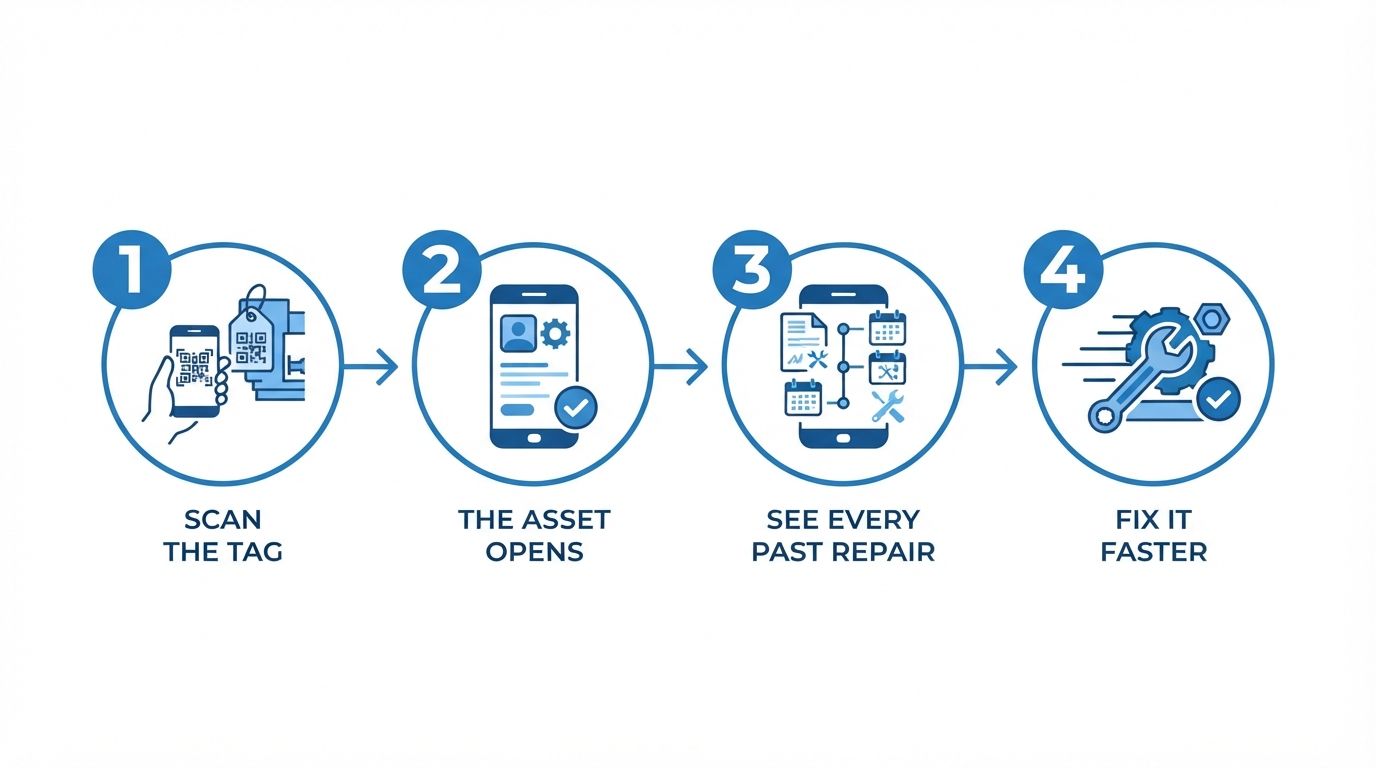
Illustration: how a QR scan turns into a faster fix.
Before and after
Without a maintenance history at hand, the story of each machine lives in paper binders, spreadsheets and people's memory. Technicians repeat fixes that didn't work, nobody notices the same failure coming back, and when someone leaves, what they knew leaves with them.
With MaintainNow, every repair and inspection is saved on the asset itself. Anyone on the team scans the machine and reads its history in the field, so patterns like a part failing twice in a week are obvious.
1. Label your equipment with a QR code
Every asset in MaintainNow has a Barcode / QR Code. Leave it empty when you add the asset and one is created for you. Open the asset in the web app and click Download to get a print-ready label for the machine.
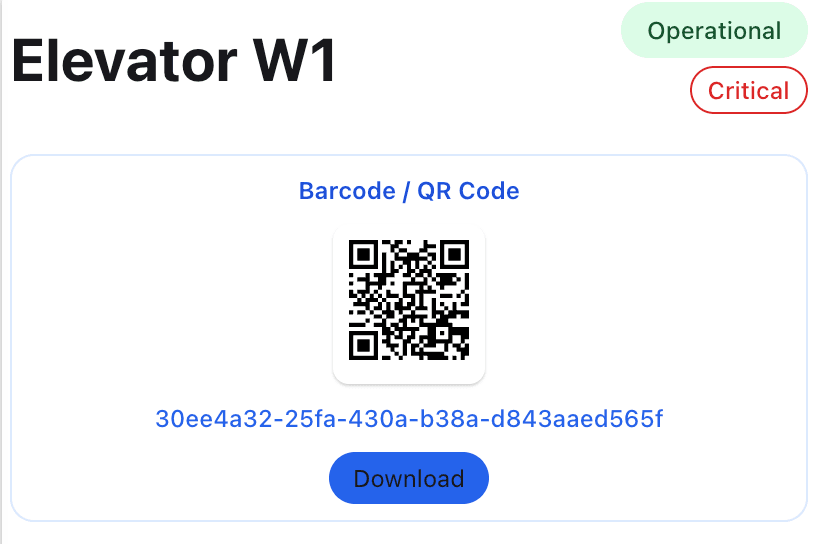
Already have barcodes or asset tags on your equipment? Enter that code in the asset's Barcode / QR Code field instead. The scanner reads QR codes and common barcodes (EAN, UPC, Code 128, Code 39 and Code 93).
2. Scan the machine with your phone
In the MaintainNow app, open Assets and tap Scan in the top right corner. Point the camera at the label and the asset opens straight away.
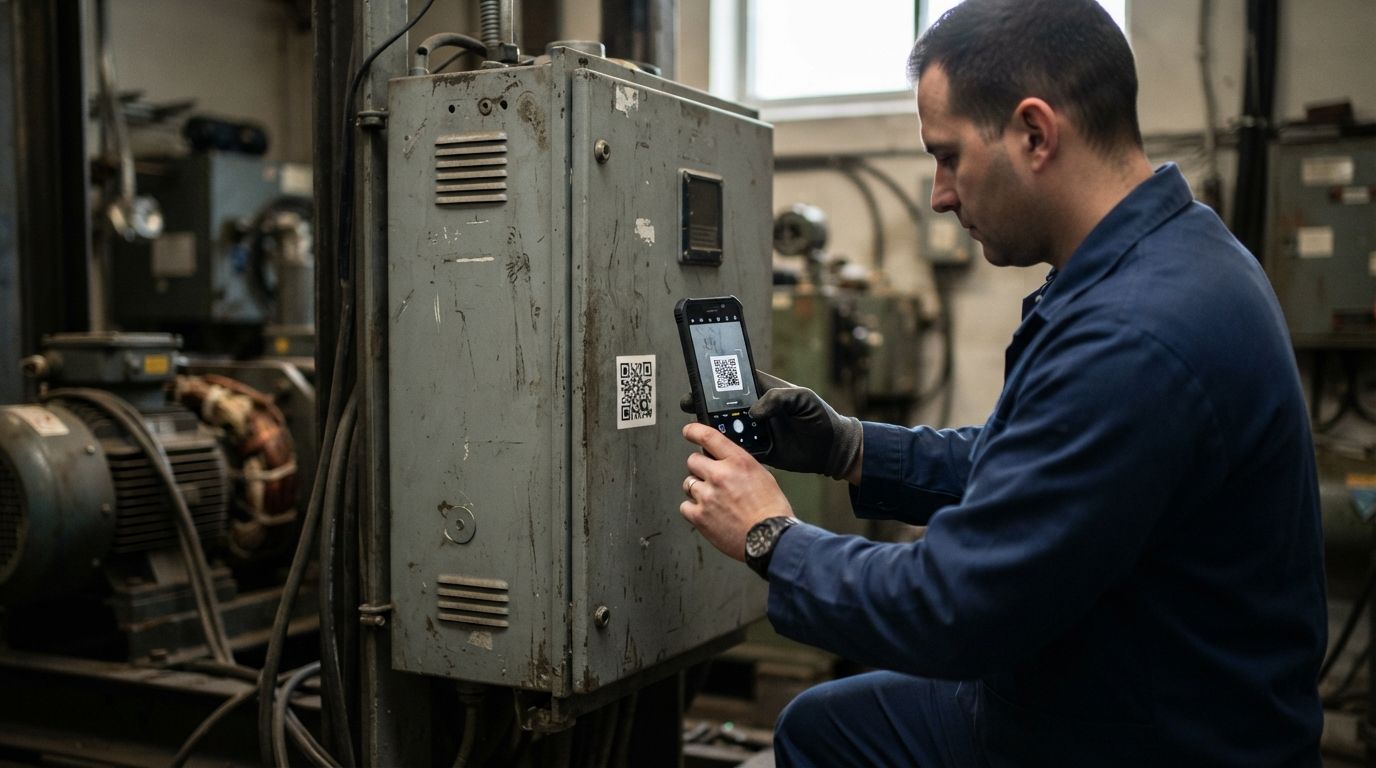
Illustration: scanning the elevator controller's QR label in the machine room.
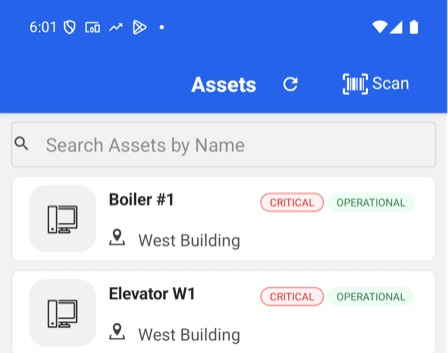
Scanned a code that isn't in MaintainNow yet? The app offers to add an asset with the scanned barcode, which makes labeling existing equipment quick.
3. Everything about the machine, on one screen
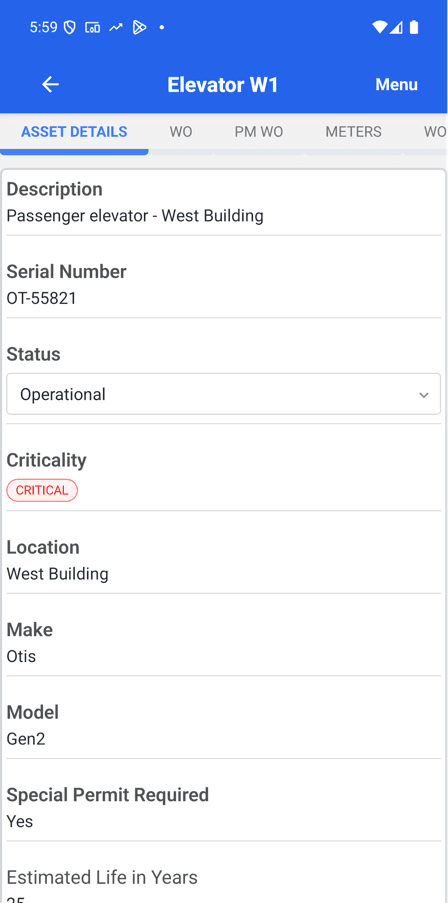
The asset opens on Asset Details: serial number, status, criticality, location, make and model. Technicians can update the Status right there, for example from Down back to Operational once it's fixed.
4. See every past repair
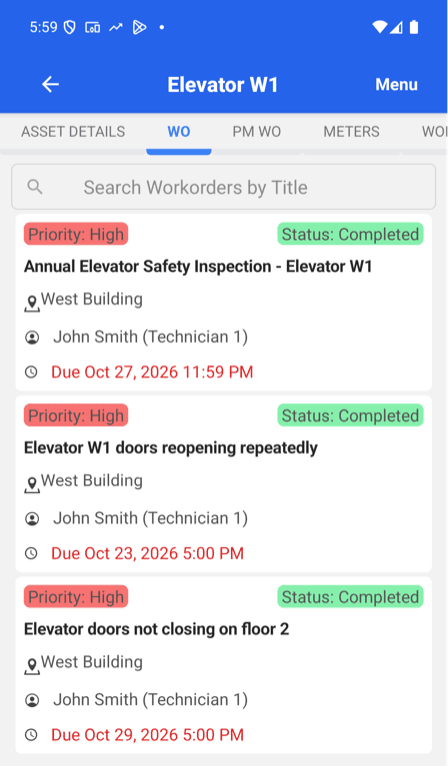
The WO tab lists every work order for this machine with its priority, status, assignee and due date, and you can search them by title. Here the elevator's door problems on floor 2 show up twice in 8 days, a sign to do a proper root cause analysis this time.
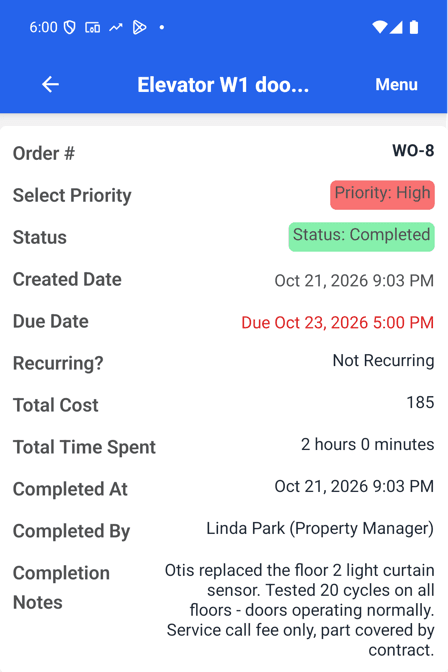
Tap any work order to see what was done: total cost, time spent, who completed it and their completion notes.
5. Check preventive maintenance too
The PM WO tab shows the machine's preventive work orders, both those created by maintenance plans and recurring work orders. Here the annual elevator safety inspection shows as completed.
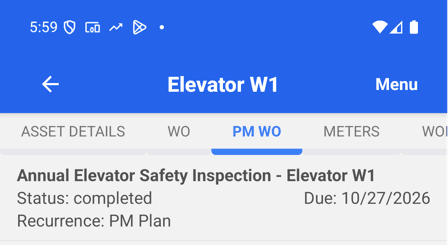
More tabs on the same screen show the machine's Meters, Work Requests reported through the request portal, Documents and Parts Used.
Questions people ask
Can MaintainNow track equipment maintenance history?
Yes. Every work order and preventive maintenance task linked to an asset is saved on that asset, with its cost, time spent, who completed it and their notes. You can see it all in the web app and the phone app.
Can I scan a QR code to open an asset in MaintainNow?
Yes. In the phone app, go to Assets and tap Scan. Scanning the asset's QR code or barcode opens it directly.
Do I need to buy special QR labels?
No. MaintainNow creates a QR code for every asset, and you can download it from the asset's page and print it. You can also use barcodes already on your equipment by entering them in the asset's Barcode / QR Code field.
What barcode types does the scanner read?
QR codes, EAN-13, EAN-8, UPC-A, UPC-E, Code 128, Code 39 and Code 93.
Is this the same QR code residents use to report problems?
No. The asset QR code opens the machine in the MaintainNow app for your team. The request portal has its own QR codes that open a public request form, with no login needed.
Related guides
- Create and assign a work order in under a minute
- Automate preventive maintenance in 5 minutes
- Collect maintenance requests with a QR code, no login
Give every machine a memory
Label your most important equipment first, then let the history build up with every job your team closes.
Start free with MaintainNowSet this up in your own facility
Start a free MaintainNow trial and follow these same steps with your own equipment.
Download the Mobile App:


✅ No credit card required • ✅ 30-day money-back guarantee • ✅ Setup in under 24 hours