Maintenance Cost Tracking: Track Labor, Parts and Total Cost per Work Order and Asset
See what every repair really costs. Log parts, labor hours and contractor costs on each work order, and MaintainNow totals the cost per asset.
Picture this: your finance team asks how much the elevator has cost this year and whether it's time to replace it. Instead of digging through invoices and timesheets, you open one report: $805.50 across 4 work orders, more than any other asset. Every dollar is traced to a work order with its parts, labor and contractor costs.
In about 5 minutes you'll have:
- Parts cost on every work order, from the parts your team uses.
- Labor cost from time logged per technician and their hourly rate.
- Contractor and other costs added to the job, so nothing is missed.
- Maintenance cost per asset in a report you can export.
Try it with your own work orders today.
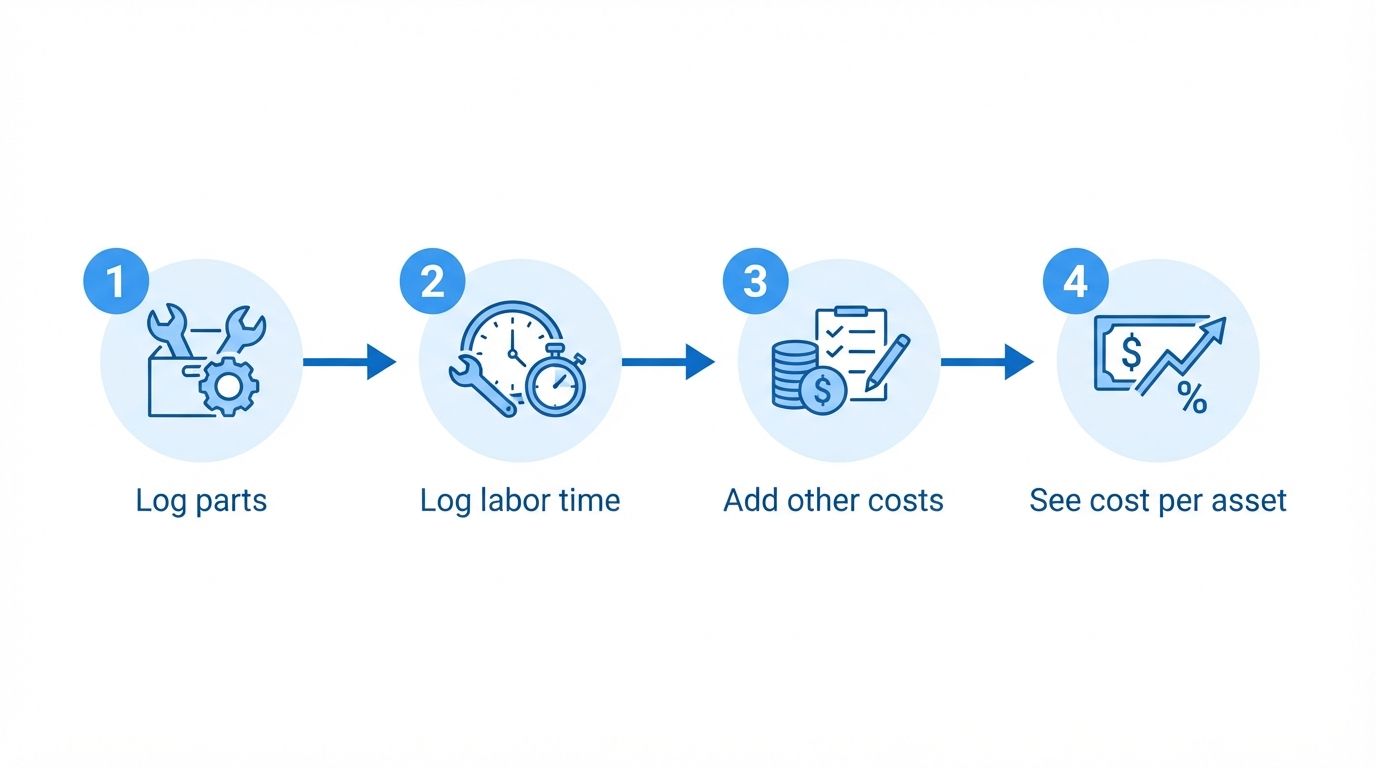
Illustration: every cost on the work order adds up to the cost of the asset.
Before and after
Without cost tracking, maintenance spend is a single line in the budget. Parts receipts, technician hours and contractor invoices live in different places, so nobody can say which machines are eating the budget.
With MaintainNow, costs are recorded on the work order where the work happens. Maintenance cost adds up by itself per job and per asset, ready for budgeting and repair-or-replace decisions.
1. Log labor time
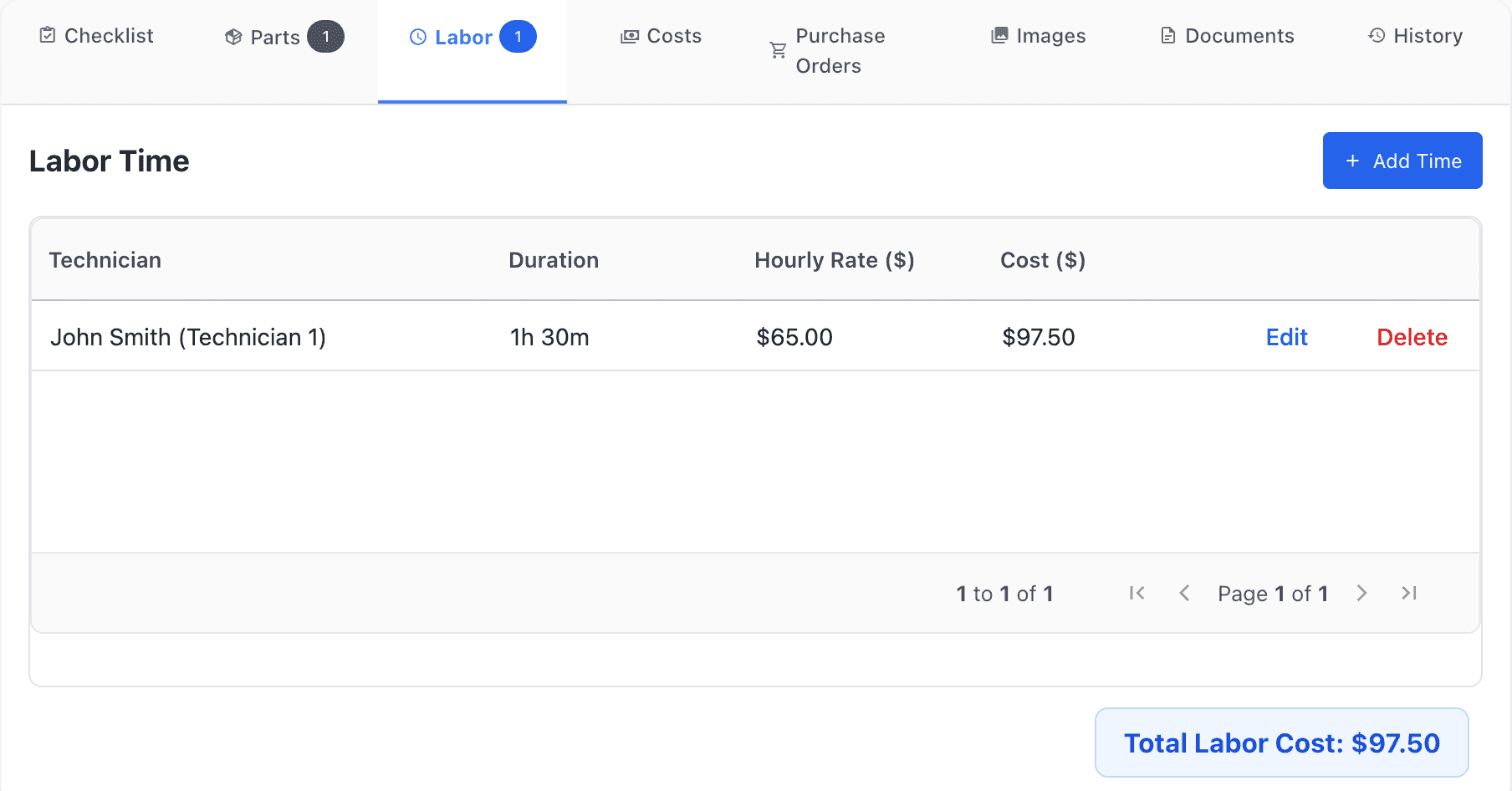
On the work order, open the Labor tab and click Add Time. Pick the Technician, enter the Hours and Minutes, their Hourly Rate and an optional note. MaintainNow calculates the cost: here 1h 30m at $65.00 is $97.50.
2. Add parts and other costs
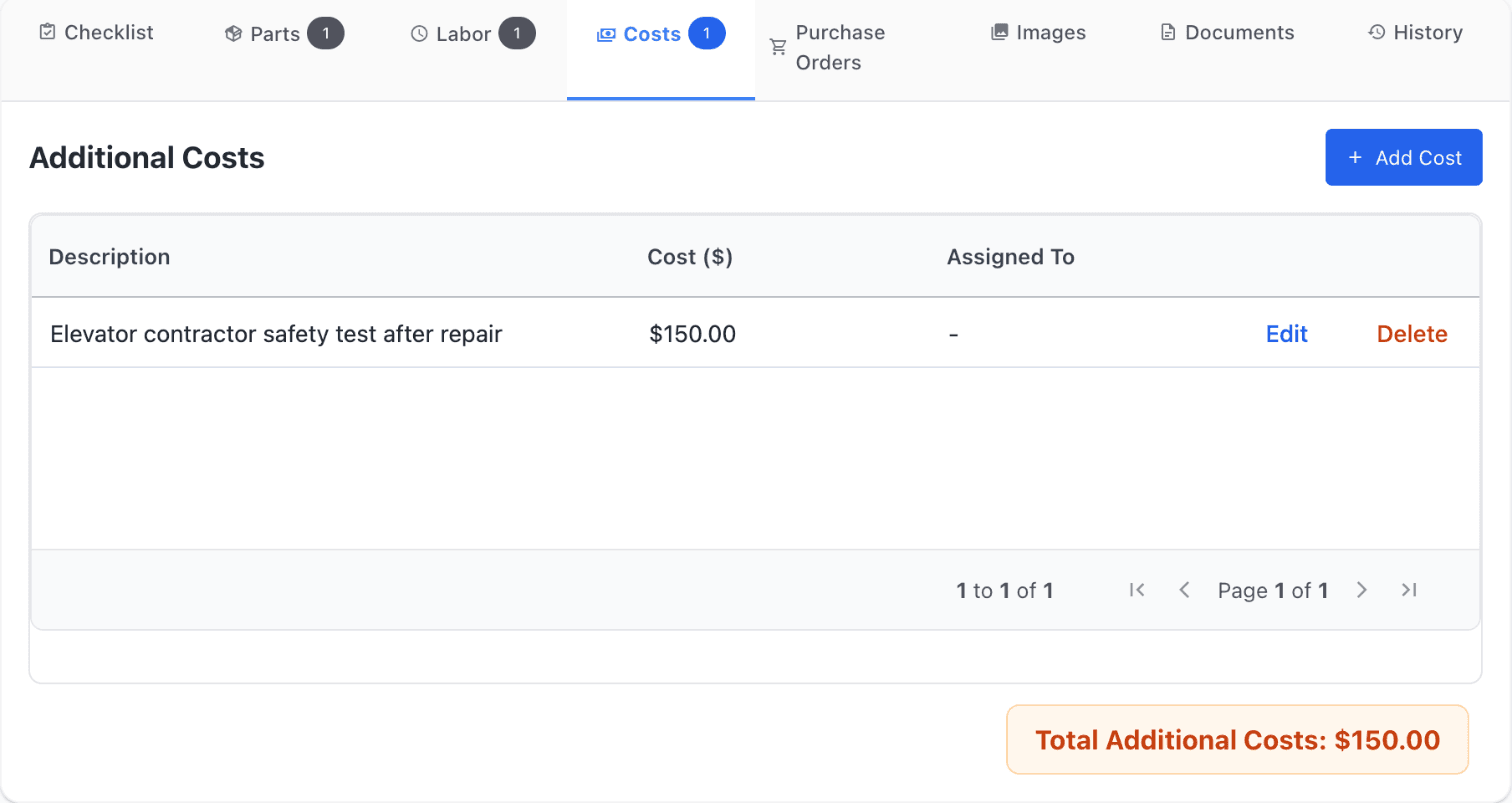
Parts used on the job appear on the Parts tab, with a cost per unit that defaults to the part's price in your inventory. For anything else (a contractor, a rental, a permit), open Costs and click Add Cost with a description and amount.
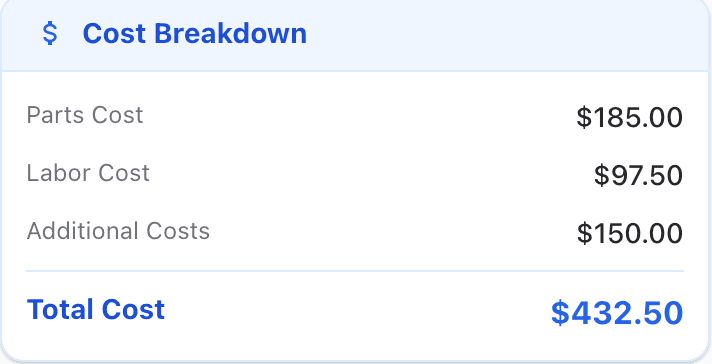
The Cost Breakdown on the work order adds it all up as you go.
3. Complete the work order with the total
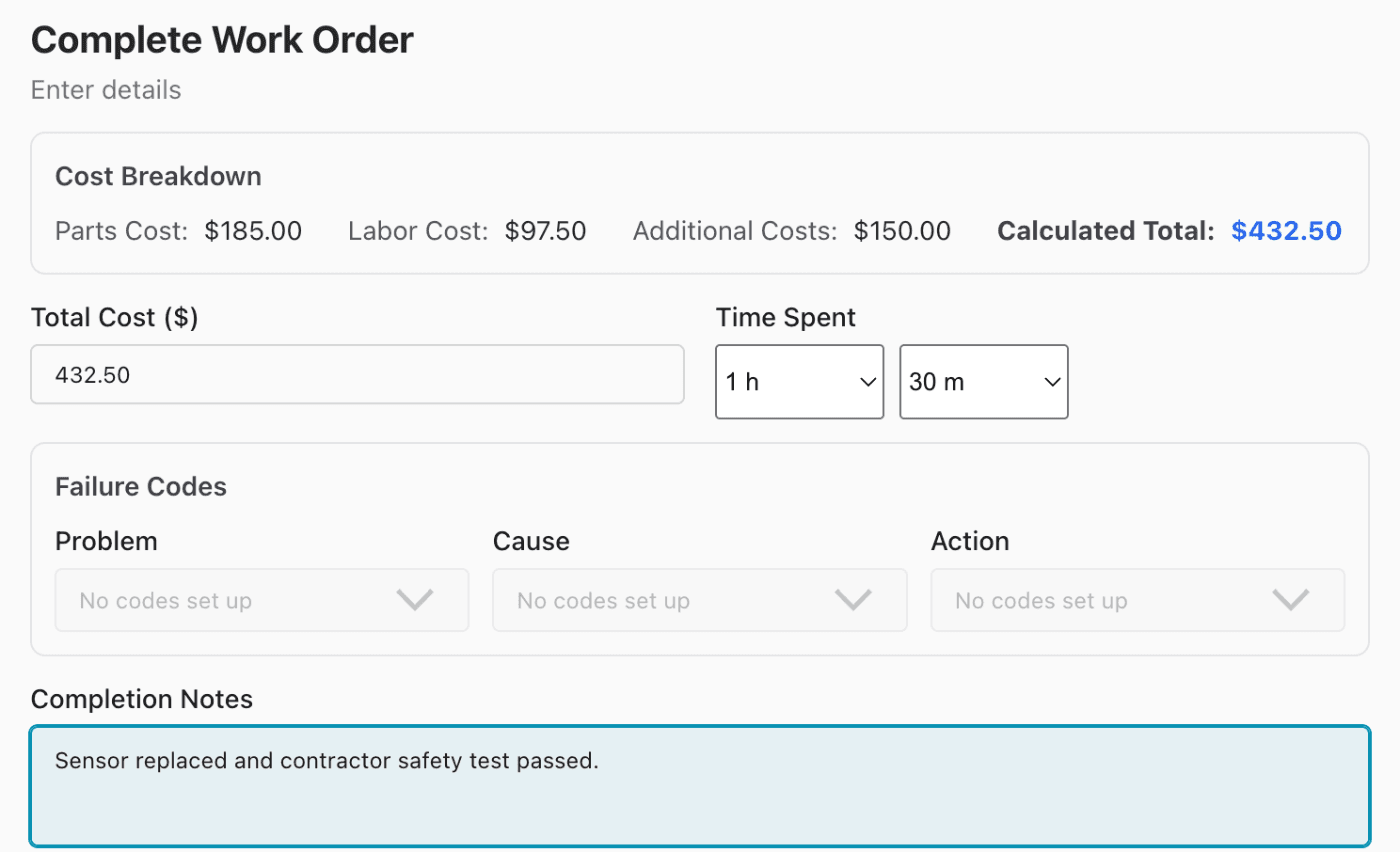
When the job is done, Update Status to Completed. MaintainNow shows the cost breakdown and fills in the Total Cost and Time Spent from what was logged, so the technician only adds completion notes.
4. See maintenance cost per asset
Open Reports and choose Asset Maintenance Cost. Pick a date range to see the total maintenance cost, the number of work orders and the average cost per asset.

Assets are ranked by cost, so the expensive ones stand out. Here the elevator leads by a wide margin.

The report's table also shows each asset's work orders, hours spent and purchase price next to its maintenance cost, which helps with total cost of ownership and replacement planning. Export CSV downloads it for your budget spreadsheet.
Questions people ask
How do I track maintenance costs per work order?
Log labor time with an hourly rate on the Labor tab, add parts on the Parts tab, and enter anything else on the Costs tab. The work order's Cost Breakdown shows parts, labor, additional costs and the total.
How is labor cost calculated?
Time spent multiplied by the hourly rate you enter for each labor entry. Several technicians can log time on the same work order.
Can I see maintenance cost per asset?
Yes. The Asset Maintenance Cost report totals the cost of every work order for each asset over the date range you choose, ranked from highest to lowest.
Can I export maintenance cost data?
Yes. Reports include an Export CSV button.
Can I add contractor or vendor invoices to a work order?
Yes. Add them on the Costs tab with a description and amount; they're included in the work order's total.
Related guides
- Track spare parts inventory with low-stock alerts
- Maintenance KPI dashboard: overdue work, MTTR and team performance
- Track equipment maintenance history with QR codes
Know where the maintenance budget goes
Start logging costs on this week's work orders and your first cost report builds itself.
Start free with MaintainNowSet this up in your own facility
Start a free MaintainNow trial and follow these same steps with your own equipment.
Download the Mobile App:


✅ No credit card required • ✅ 30-day money-back guarantee • ✅ Setup in under 24 hours