Maintenance KPI Dashboard: See Overdue Work, MTTR and Team Performance
See what's overdue, which assets cause the most work, schedule compliance and MTTR, with no spreadsheets. MaintainNow builds the dashboard from your work.
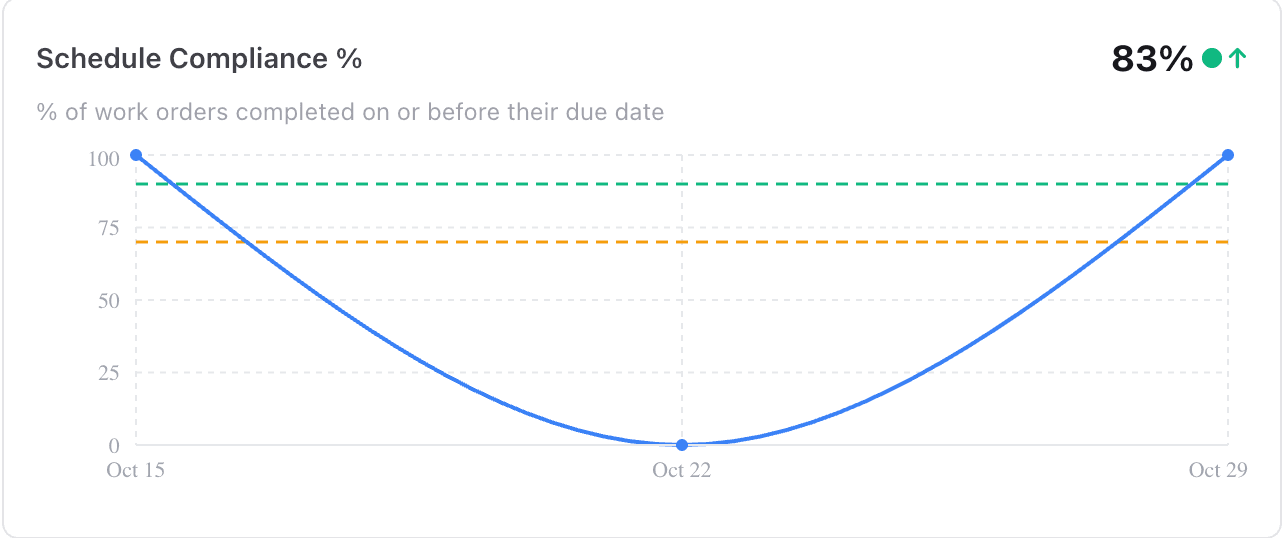
Picture this: your manager asks how maintenance is going. Instead of an afternoon in spreadsheets, you open MaintainNow: 8 jobs overdue, schedule compliance at 83%, and one elevator behind most of this month's work orders. You have the answer, and the plan, in two minutes.
In about 5 minutes you'll have:
- A Home page that shows today's priorities: overdue, due this week, high priority and the full work queue.
- Maintenance KPIs calculated for you: schedule compliance, planned vs reactive work, backlog, MTTR and more.
- The assets that cost you the most time, ranked automatically.
- Reports you can filter and export for your team, your boss or an audit.
There's a free plan, and the dashboard fills itself as your team works.
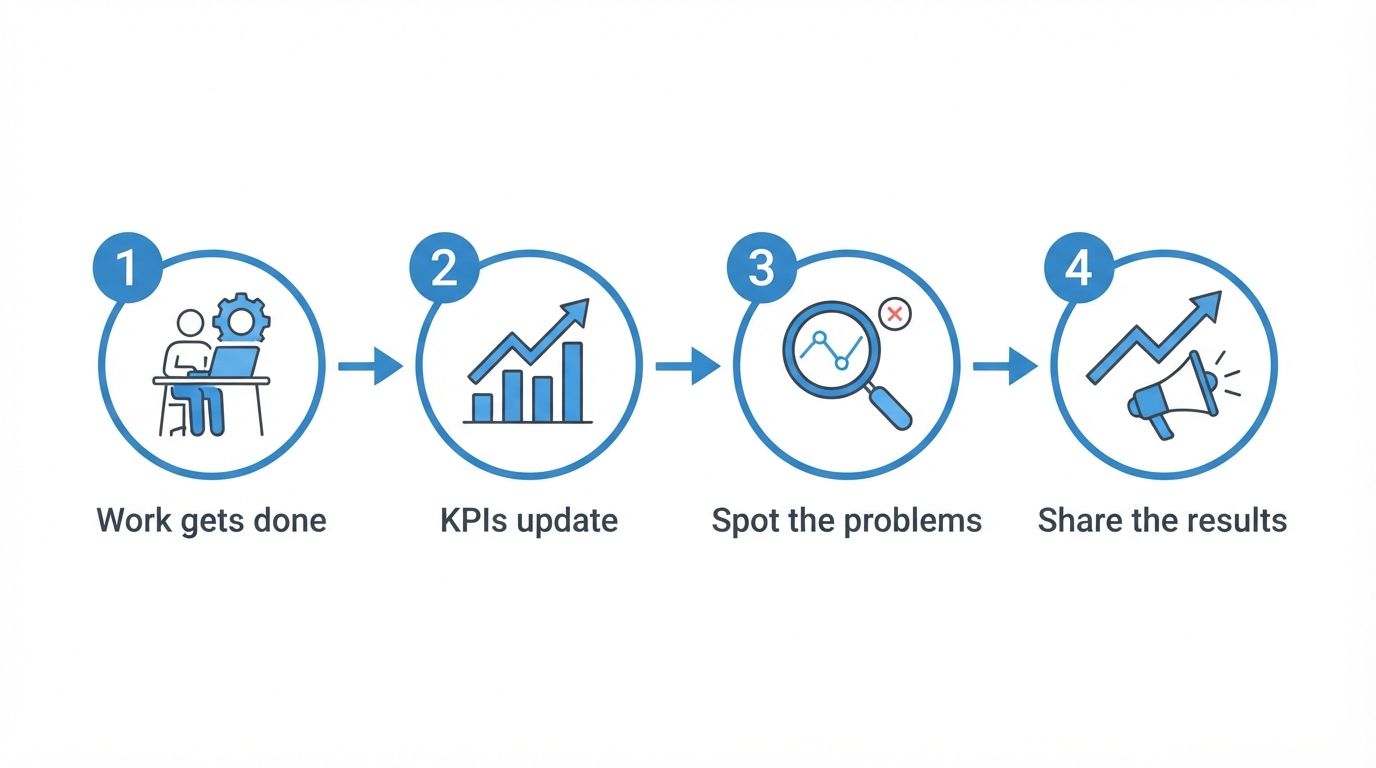
Illustration: your team's everyday work becomes the dashboard.
Before and after
Without a CMMS, KPIs mean exporting, counting and building charts by hand, so they're done once a quarter, if at all. Problems like a machine that keeps breaking or a growing backlog show up late.
With MaintainNow, every work order your team logs feeds the numbers. There's nothing to build or update: open the dashboard and your maintenance KPI dashboard is already there.
1. Start the day on the Home page
Home shows counts for Overdue, Due today, Due this week, High priority, Open and In progress work. Below them, Open work breaks everything down by status and priority, and the Work queue lists what's overdue, due today, due this week, on hold or unassigned, with who it's assigned to.
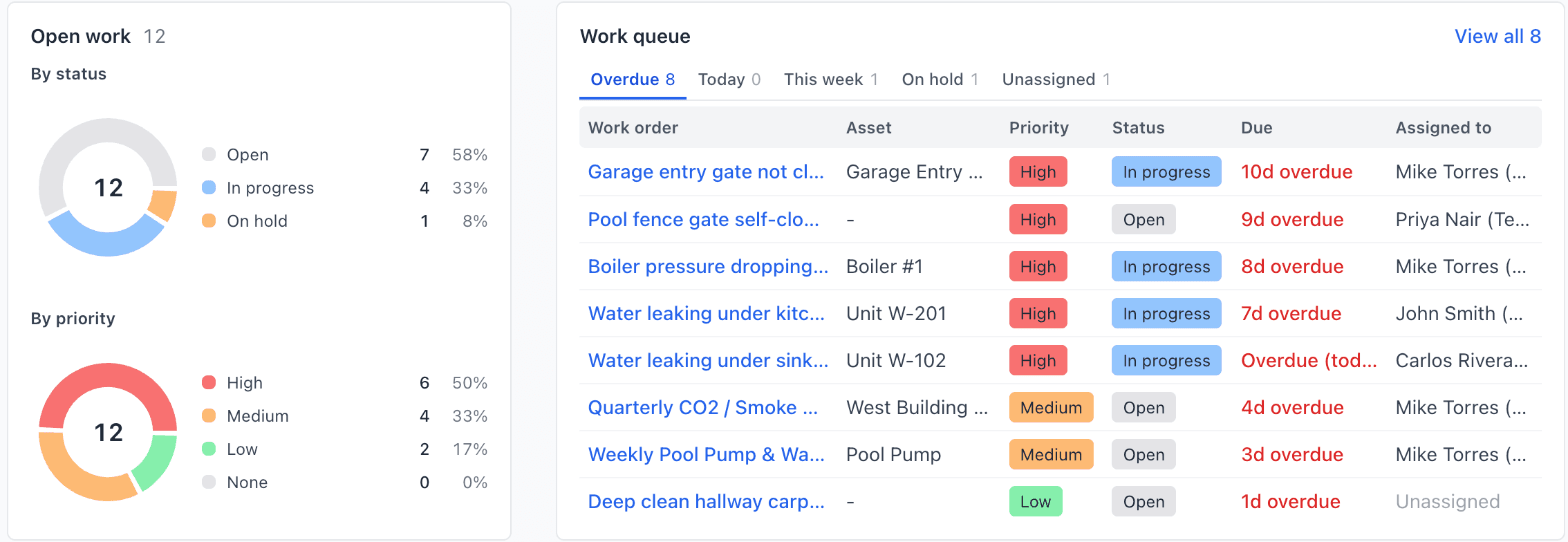
The same page also flags preventive maintenance that's due, assets that are down, requests waiting for review and parts that are running low.
2. Track the KPIs that matter
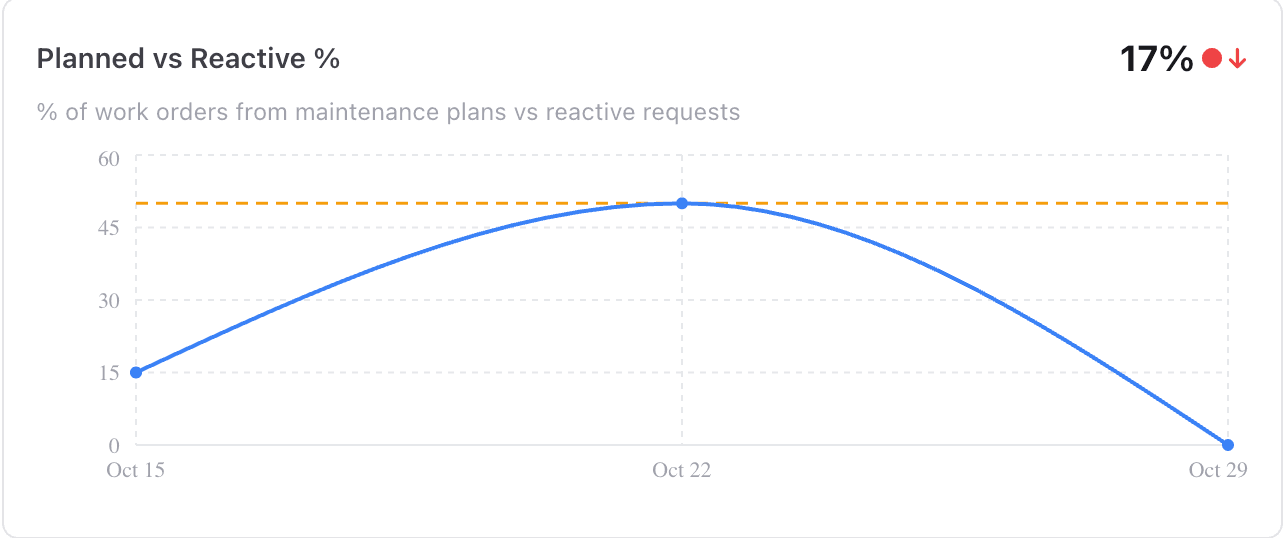
Dashboards calculates your maintenance KPIs from the work your team logs, with a trend line and a target for each. Filter by date range, from today to the last year.
Planned vs Reactive % shows how much of your work comes from maintenance plans instead of breakdowns. Low numbers mean you're firefighting; preventive maintenance moves it up.
The dashboard is grouped into Planning & Execution (planned vs reactive, schedule compliance, high-priority share, backlog size, completion rate), Asset Health (top problem assets, average completion time, MTTR per asset, repeat offender assets), PM Effectiveness (PM compliance, proactive maintenance ratio, PM vs corrective cost) and Cost & Efficiency (average cost per work order).
3. Find the assets causing the most work
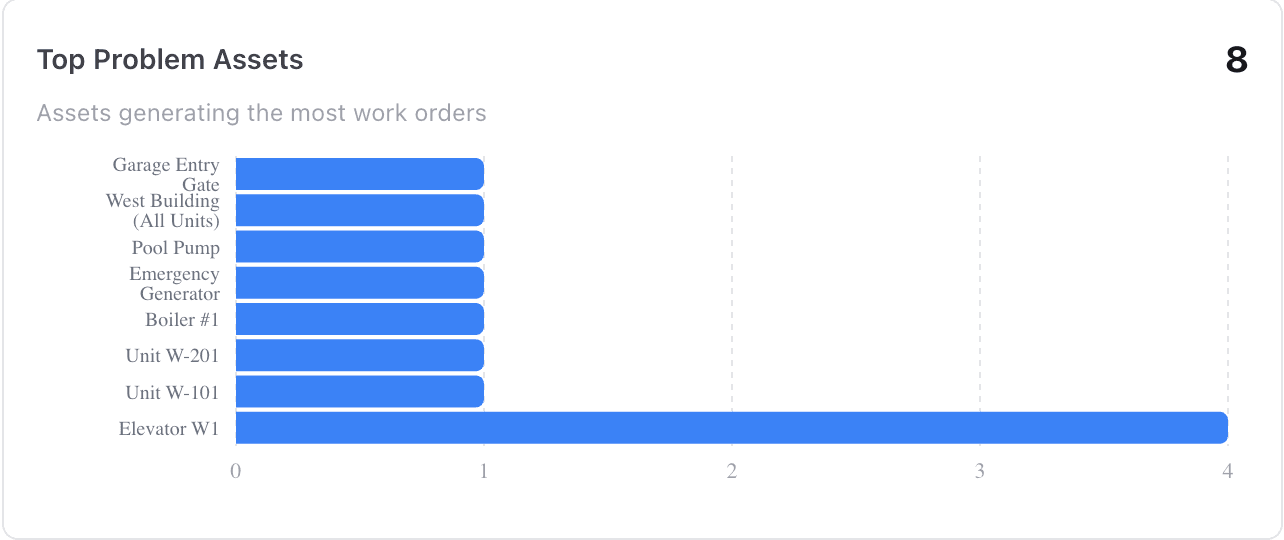
Top Problem Assets ranks the machines generating the most work orders. Here Elevator W1 stands out with four, the signal to look for a root cause instead of fixing the same thing again. Repeat Offender Assets does the same for unplanned work only.
Want the detail? Open the asset to see its full maintenance history.
4. Report on your team and your assets
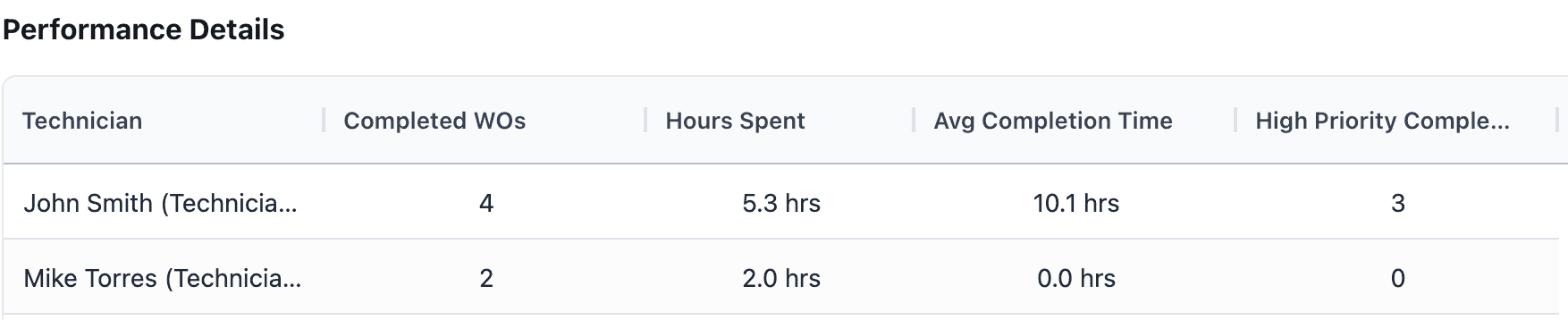
Reports has ready-made reports: Work Order Summary, Overdue Work Orders, Technician Performance, Asset Maintenance Cost, Asset Downtime (with MTTR, MTBF and availability) and inventory reports. Each one can be filtered by date range, and Export CSV downloads the data.
5. Check in from your phone
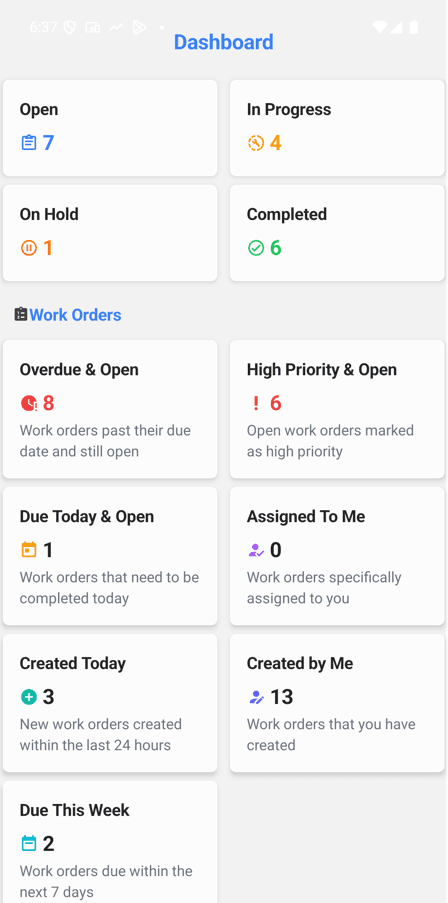
The MaintainNow app has its own Dashboard with open, in-progress, on-hold and completed work, plus overdue, high-priority, due-today and due-this-week counts. It's handy when you're walking the building.
Questions people ask
Does MaintainNow have a maintenance KPI dashboard?
Yes. Dashboards calculates KPIs such as schedule compliance, planned vs reactive work, backlog size, completion rate, MTTR per asset, PM compliance and average cost per work order.
Can MaintainNow track MTTR and MTBF?
The dashboard shows MTTR per asset, and the Asset Downtime report covers downtime events, MTTR, MTBF and availability across assets.
Do I have to set up the dashboards?
No. The KPIs are calculated from the work orders, plans and assets your team already records in MaintainNow.
Can I export maintenance reports?
Yes. Reports can be filtered by date range and exported to CSV.
Can I see the dashboard on my phone?
Yes. The MaintainNow phone app has a dashboard with your work order counts.
Related guides
- Automate preventive maintenance in 5 minutes
- Track equipment maintenance history with QR codes
- Create and assign a work order in under a minute
Know your numbers without the spreadsheet
Start logging work today and your KPIs build themselves.
Start free with MaintainNowSet this up in your own facility
Start a free MaintainNow trial and follow these same steps with your own equipment.
Download the Mobile App:


✅ No credit card required • ✅ 30-day money-back guarantee • ✅ Setup in under 24 hours