Meter-Based Preventive Maintenance: Auto-Create Work Orders from Run Hours and Meter Readings
Service equipment by run hours, miles or cycles, not just the calendar. Log a meter reading on your phone and MaintainNow creates the work order.
Picture this: your standby generator needs an oil change every 250 run hours, but it only runs during outages and tests, so a calendar schedule is always wrong. With MaintainNow, a technician types the hour meter reading into their phone. When it passes 1,250 hours, the service work order is created and assigned on its own.
In about 5 minutes you'll have:
- A meter on any asset that tracks run hours, miles, kilometers, cycles, PSI or any unit you choose.
- A trigger that creates a work order when a reading crosses your threshold.
- Readings logged from the phone at the machine, with the full reading history saved.
- Work orders created automatically, with a title, priority, due date and technician already set.
Try it with your own equipment today.
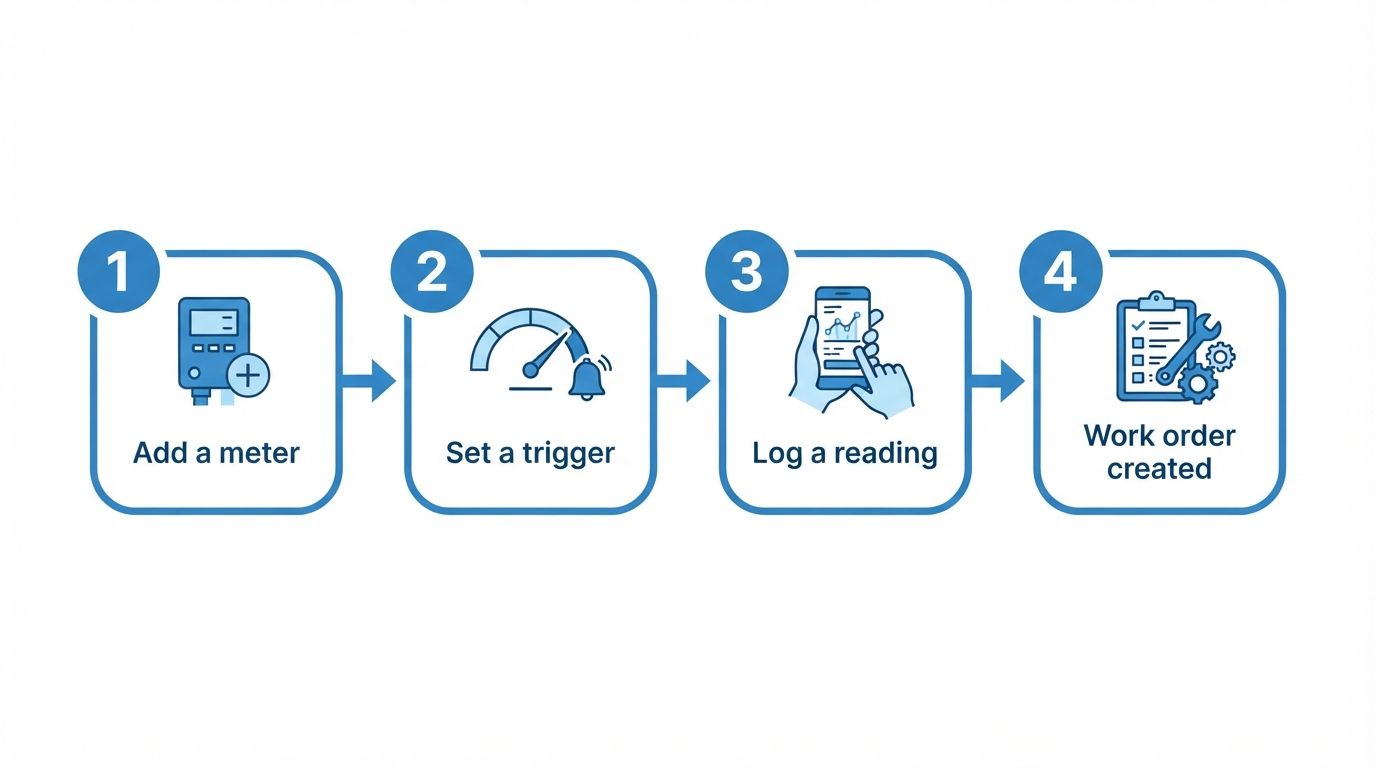
Illustration: how a meter reading turns into a work order.
Before and after
With calendar-only maintenance, equipment that runs a lot gets serviced too late and equipment that sits idle gets serviced too early. Someone has to remember to check hour meters and do the math.
With MaintainNow, maintenance follows actual use. That's meter-based maintenance: you service the generator at 250 hours, the vehicle at 5,000 miles and the pump at its cycle count, and the work order appears exactly when it's needed.
1. Add a meter to the asset
Open Meters and click Add Meter. Give it a name (here Generator Run Hours), a Measurement Unit (Hours) and pick the Asset (Emergency Generator). You can log the current reading as your starting point straight away.
2. Set a work order trigger
On the meter, click Add Workorder Trigger. Choose when it fires (Greater Than, Greater Than or Equal To, Less Than, Less Than or Equal To or Equal To) and the value, then fill in the work order it creates: title, description, priority, Due In Days From Triggered Date and who it's Assigned To.
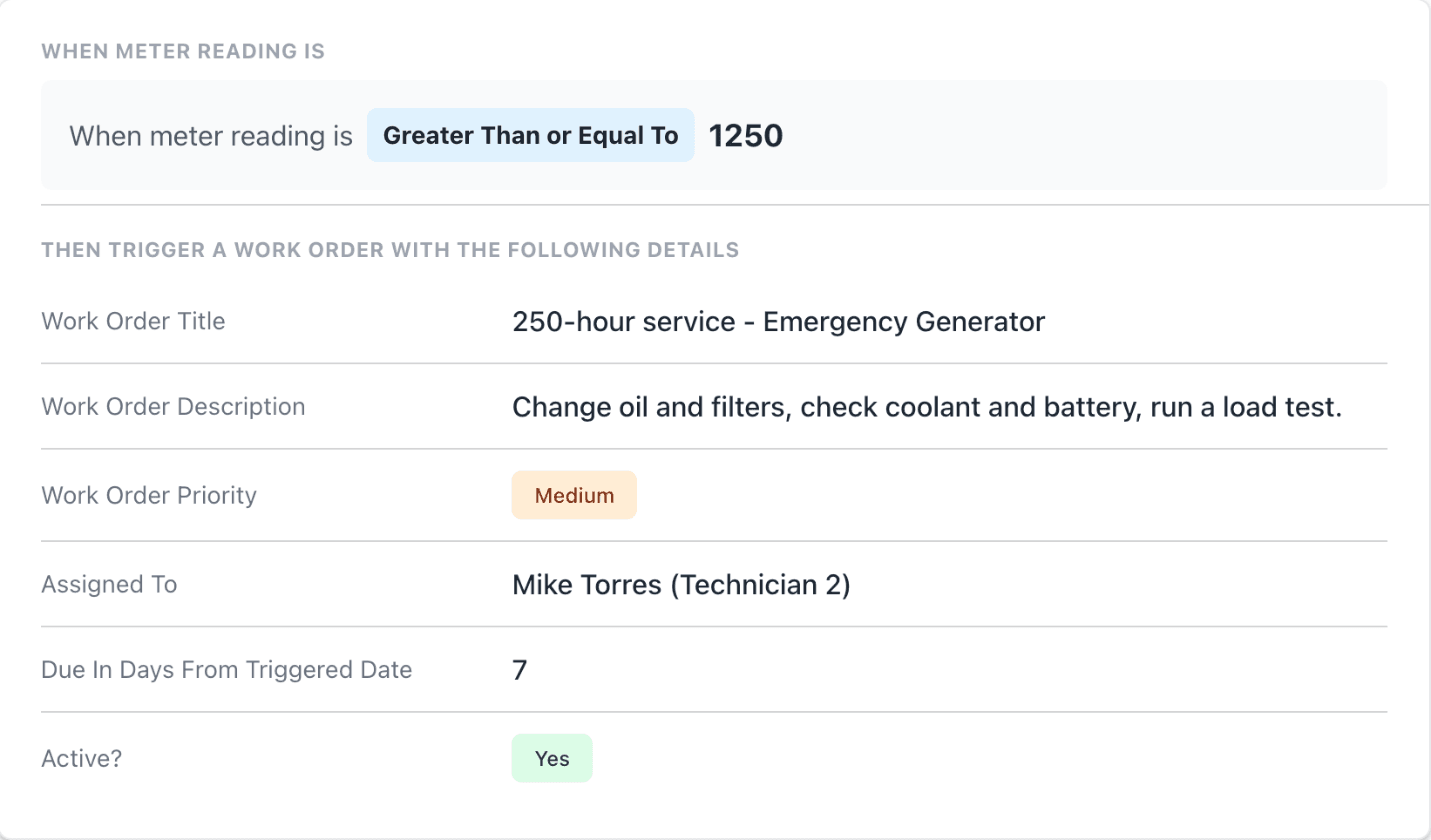
"Less than" triggers make it work for condition readings too, like a pressure or voltage that drops too low. That's condition-based maintenance without extra software.
3. Log readings from your phone
In the MaintainNow app, open the asset, tap the Meters tab and pick the meter. The technician sees the last reading and the triggers, types the new reading and taps Submit Reading.
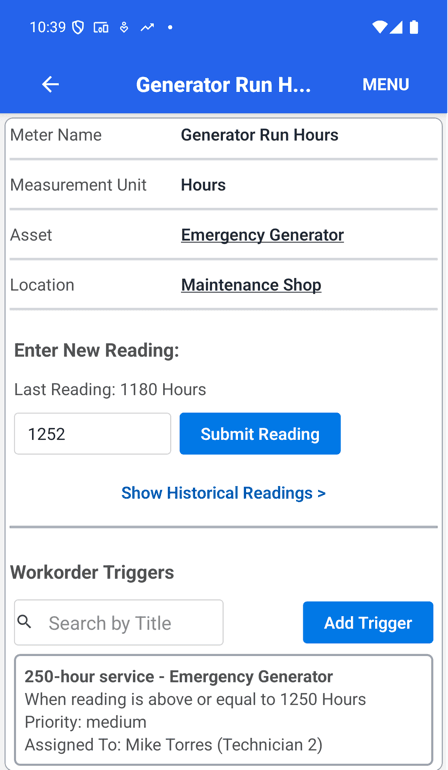
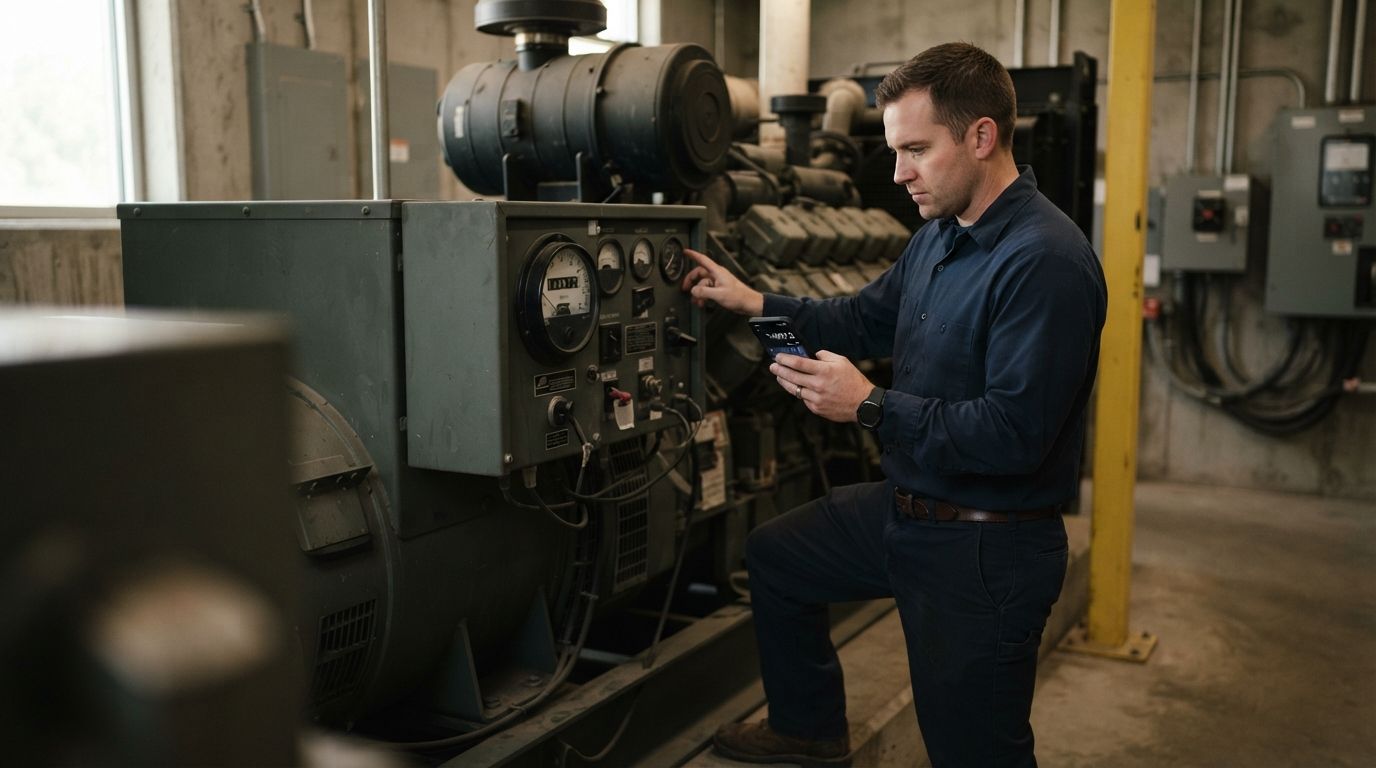
Illustration: reading the hour meter at the generator.
4. The work order creates itself
The reading of 1,252 hours meets the trigger, so MaintainNow creates the work order on the spot and the app confirms it.
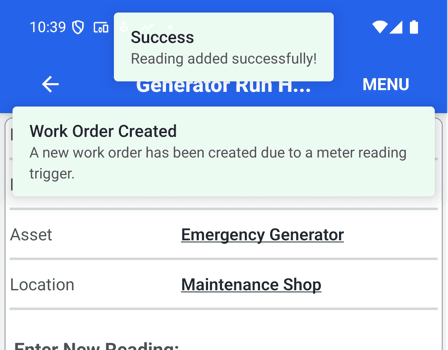
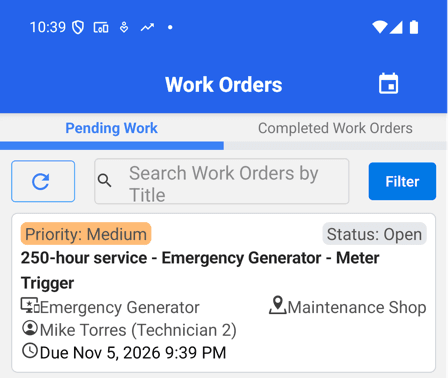
The new work order shows up in the work order list with the trigger's settings: assigned to Mike Torres, medium priority, due 7 days after the reading. Mike gets a push notification and an email, the same as any assigned work.
Every reading is kept in the meter's Historical Readings, with the date and who recorded it, so you can see how fast equipment is accumulating hours.
Good to know: each reading is checked against every active trigger, and a trigger fires each time a reading meets its condition. After the service, raise the threshold to the next interval (for example 1,500 hours) or switch the trigger off until you need it.
Questions people ask
Can MaintainNow schedule maintenance based on run hours or mileage?
Yes. Add a meter to the asset with any unit (hours, miles, km, cycles and so on) and a trigger that creates a work order when a reading reaches your threshold.
How do meter readings get entered?
Technicians enter them in the MaintainNow phone app from the asset's Meters tab, or anyone can enter them on the web on the meter's page.
What happens when a reading crosses the threshold?
MaintainNow creates a work order with the title, description, priority, due date and assignee you set on the trigger, and notifies the assigned technician.
Can a trigger fire when a value drops too low?
Yes. Use Less Than or Less Than or Equal To, for example to create a work order when a pressure reading falls below a safe level.
Can one meter have more than one trigger?
Yes. Every active trigger is checked against each reading, so you can, for example, create a minor service at 250 hours and a major service at 1,000.
Related guides
- Automate preventive maintenance in 5 minutes
- Track equipment maintenance history with QR codes
- Plan your maintenance week on a drag-and-drop scheduling board
Maintain by use, not by guesswork
Add a meter to your hardest-working machine and let the readings decide when it's serviced.
Start free with MaintainNowSet this up in your own facility
Start a free MaintainNow trial and follow these same steps with your own equipment.
Download the Mobile App:


✅ No credit card required • ✅ 30-day money-back guarantee • ✅ Setup in under 24 hours