Parking Lot Maintenance Checklist: Monthly Inspections and QR Code Problem Reports
A free parking lot maintenance checklist, a monthly inspection that schedules itself, and a QR sign drivers scan to report lights out or potholes.
In about 10 minutes you'll have:
- A monthly parking lot inspection that lands on a technician's phone by itself
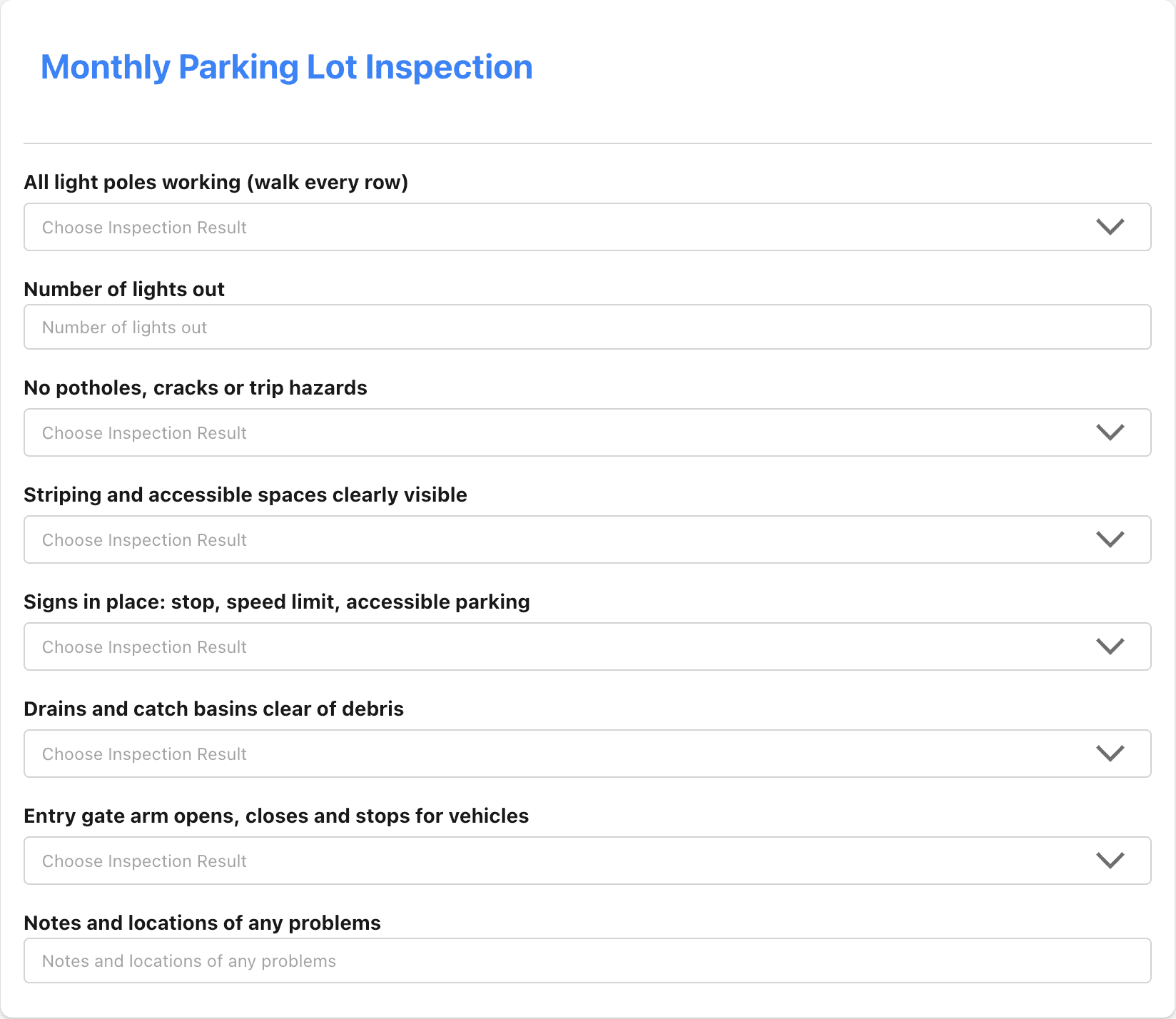
- A checklist for lights, pavement, striping, signs, drains and the entry gate
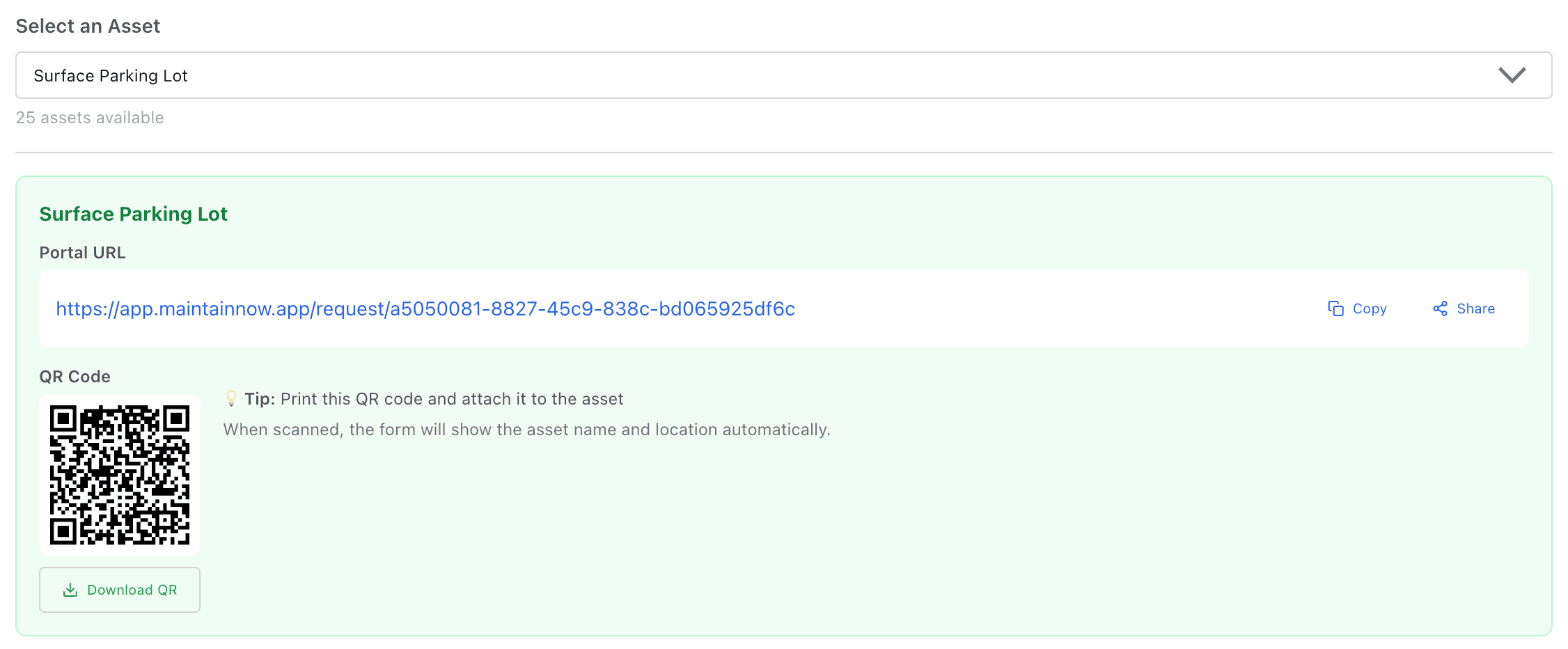
- A QR code sign drivers scan to report a problem, with no app and no login
- Every report turned into a work order with the lot and location already filled in
Try it with your own lot today.
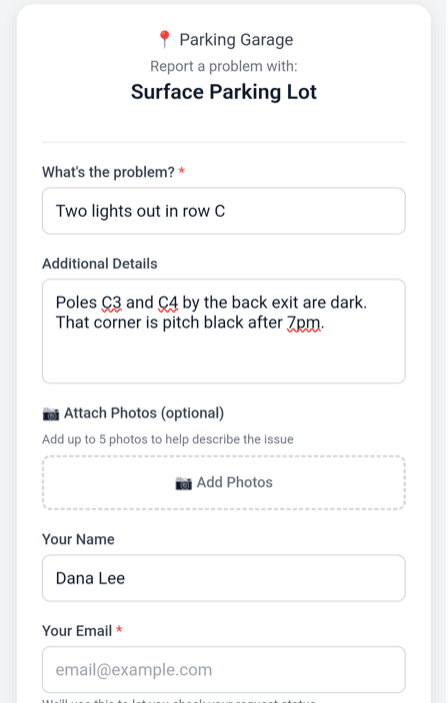
Picture this: two light poles at the back of the lot go dark on a Tuesday night. A resident walking to their car scans the QR code on the sign by the exit, types "Two lights out in row C" and submits. By the morning it's a work order on your technician's phone, with the lot and its location already filled in.
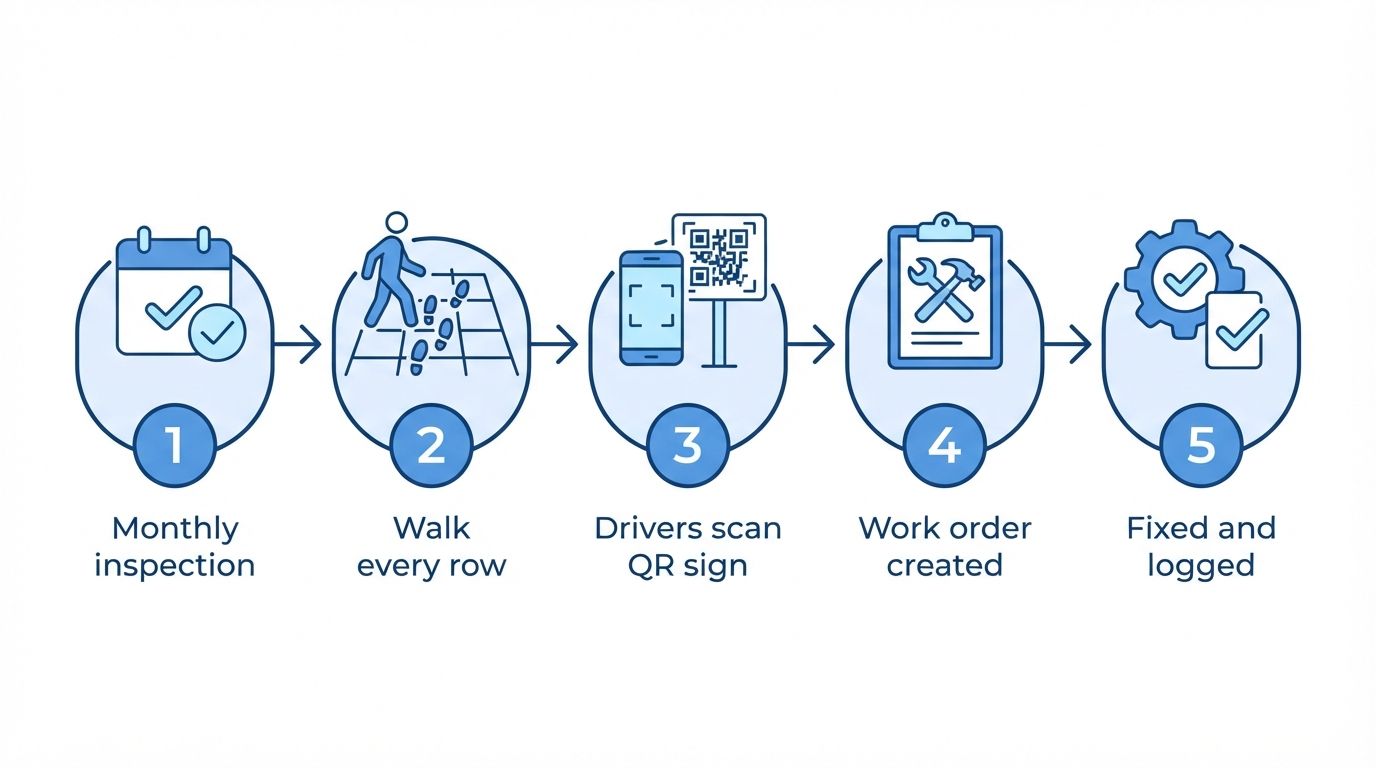
Illustration: how parking lot maintenance runs in MaintainNow.
The free parking lot maintenance checklist
Use this as your monthly walk-through. Add or remove items to match your lot.
Every month
- Walk every row and check all light poles are working; count any that are out
- Look for potholes, cracks, raised edges and other trip hazards
- Check striping, arrows and accessible parking spaces are clearly visible
- Check signs are in place and readable: stop, speed limit, accessible parking, fire lane
- Clear drains and catch basins of leaves and debris
- Test the entry gate arm: it opens, closes and stops for vehicles
- Pick up litter and check trash cans
- Note the row or pole number for anything that fails
Every season or year
- Sweep the whole lot and power-wash stained areas
- Seal cracks before winter and fill potholes in spring
- Restripe faded lines and repaint curbs
- Check snow and ice plans before winter (where it applies)
- Inspect pavement for sealcoating and plan resurfacing
Before and after
Without a system, parking lot problems get found by accident. Lights stay out for weeks because nobody walks the lot at night, and drivers who notice a pothole have no easy way to tell anyone. Inspection notes end up on paper, if they're written down at all.
With MaintainNow, the monthly inspection creates itself and the technician works through it on their phone. Between inspections, anyone can scan the QR sign and report a problem in seconds, and you approve it into a work order.
1. Build the parking lot checklist
In Checklist Templates, add each item as a step. Use Inspection Check for pass/fail items (PASS, FAIL or FLAG on the phone), Number for the count of lights out, and a text step for the row or pole number.
2. Schedule it every month
Add the lot as an asset (we used Surface Parking Lot at the Parking Garage location). Then create a maintenance plan that repeats monthly, attach the checklist and assign a technician. They get a push notification and an email when each month's inspection is created, and the next one is created after this one is completed.
3. Put a QR code sign in the lot
In Request Portal, under Asset-Specific Portals, select the lot. You get a portal link and a QR code to print on a sign. When someone scans it, the form already shows the lot's name and location.
Drivers don't need an app or an account. They describe the problem, can add up to 5 photos, and enter their email to get status updates:
4. Approve the report into a work order
The report arrives in Work Requests marked Portal Submission, with the asset and location already set.
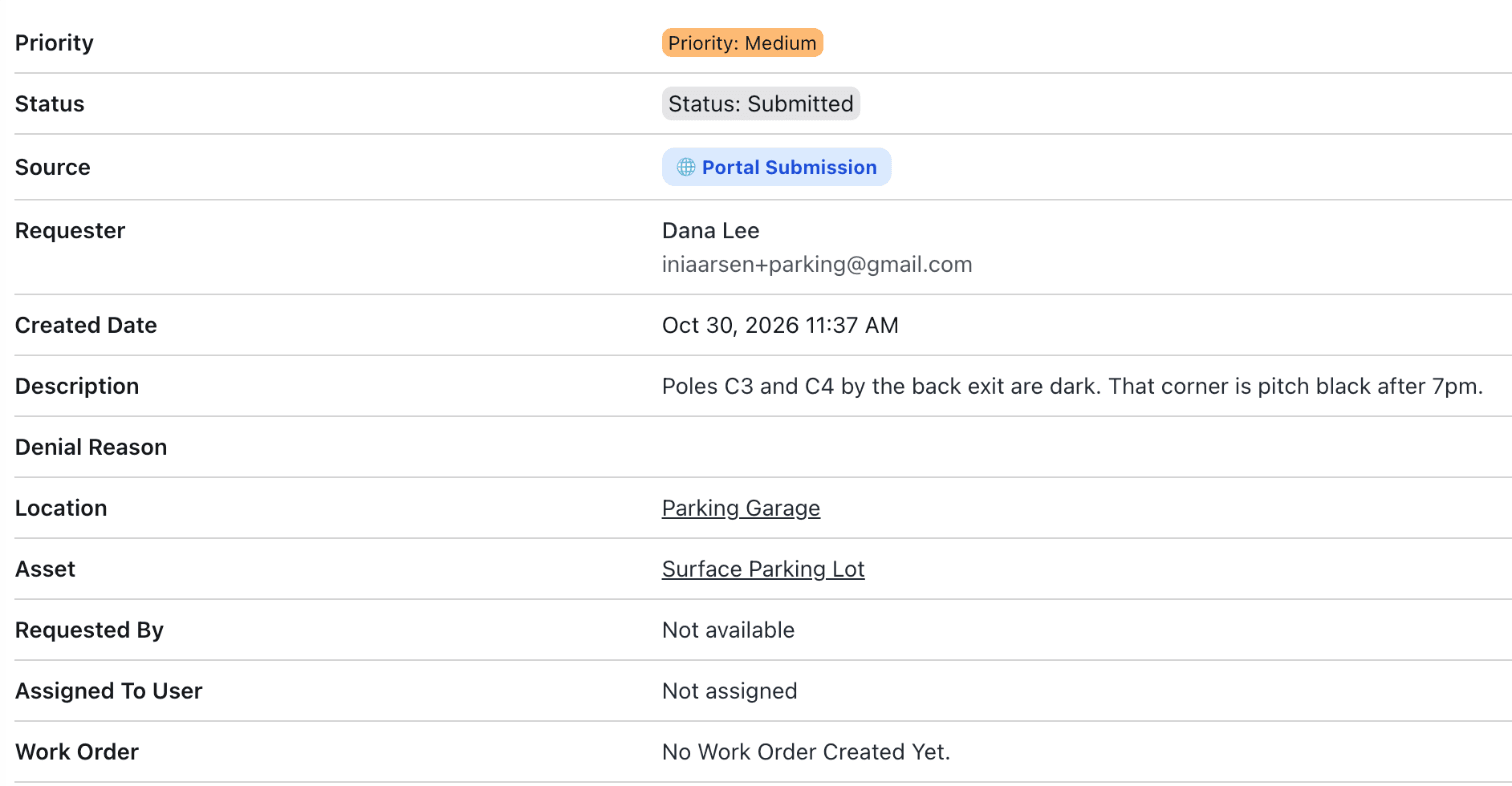
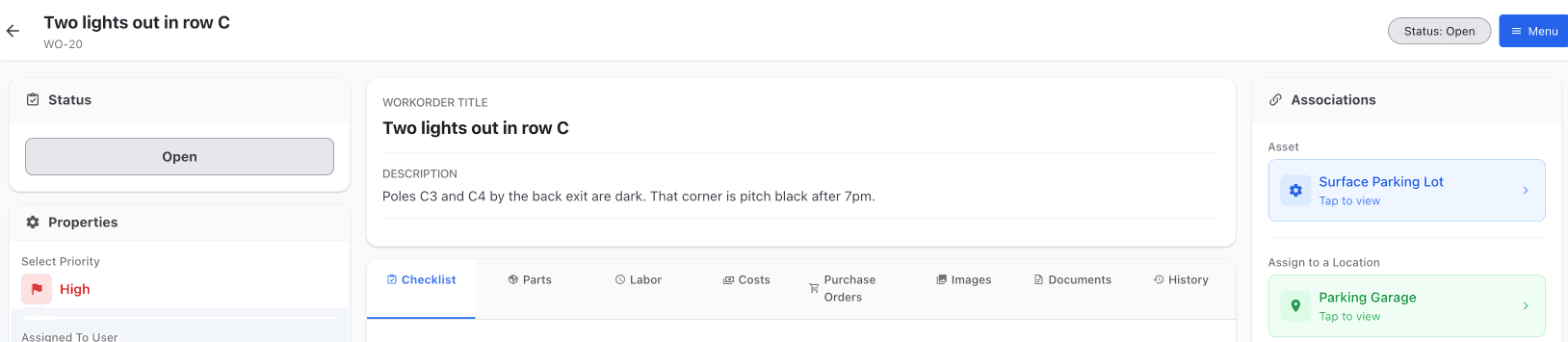
Assign a technician, set the priority and click Approve Work Request. MaintainNow creates the work order and the requester is emailed whenever the status changes.
Questions people ask
What should a parking lot maintenance checklist include?
At minimum: lighting, pavement damage and trip hazards, striping and accessible spaces, signs, drainage, gates or barriers, and litter. Add seasonal tasks like sweeping, crack sealing, restriping and snow plans.
How often should a parking lot be inspected?
Many property teams walk the lot monthly and after storms, and check lighting more often in winter when it gets dark early. Set the schedule in MaintainNow to whatever your lot needs: daily, weekly, monthly or yearly.
Can people report parking lot problems without an app?
Yes. Print the lot's QR code from Request Portal. Anyone can scan it with their phone camera, fill in a short form and submit without logging in.
Does a report automatically become a work order?
You choose. By default, requests wait in Work Requests for you to approve or deny. Turn on Auto-approve new Work Requests and each new request becomes a work order straight away.
Related guides
- Collect maintenance requests with a QR code (no login)
- Digital inspection checklists on your phone
- Track overdue work orders and your maintenance backlog
Stop finding out about dark corners weeks later
Set up the monthly inspection once and put a QR sign in the lot.
No credit card needed.
Set this up in your own facility
Start a free MaintainNow trial and follow these same steps with your own equipment.
Download the Mobile App:


✅ No credit card required • ✅ 30-day money-back guarantee • ✅ Setup in under 24 hours