How to Track Overdue Work Orders and Maintenance Backlog Before It Becomes a Breakdown
See every overdue work order and late preventive maintenance task in one place, sorted by how late they are, on the web and on your phone.
Picture this: a garage gate that "doesn't close fully" sat on someone's list for 10 days, and a weekly pool pump check slipped by three. Small jobs like these turn into breakdowns and complaints. With MaintainNow, overdue work is the first thing you see when you open the app, sorted by how late it is, with who it's assigned to.
In about 5 minutes you'll have:
- An overdue count on your Home page, next to what's due today and this week.
- A work queue of overdue jobs showing priority, status, days overdue and assignee.
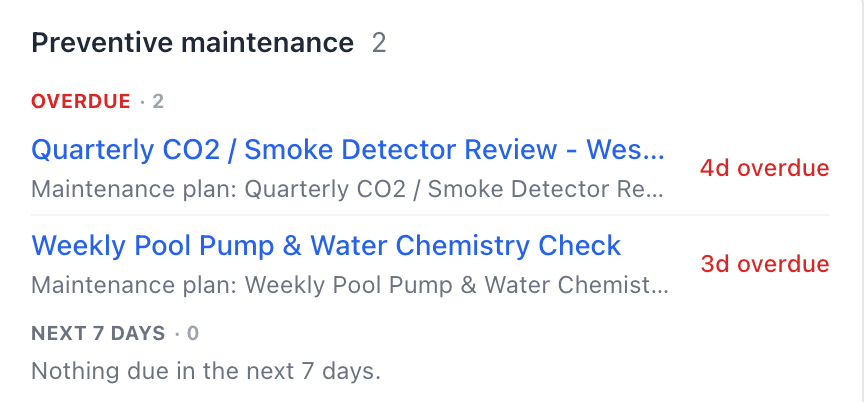
- Late preventive maintenance flagged separately, so PM doesn't quietly slip.
- An Overdue Work Orders report you can filter and export.
Try it with your own work orders today.
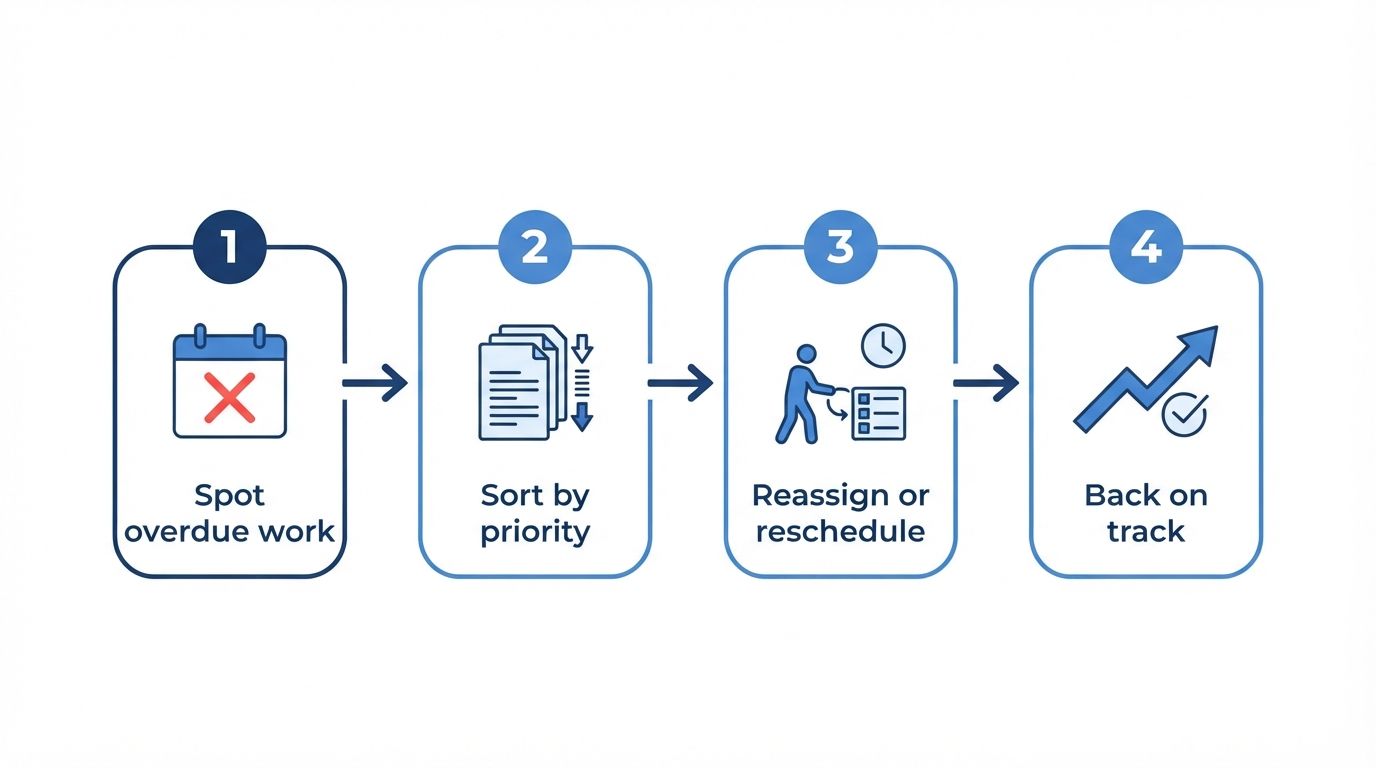
Illustration: from overdue to back on track.
Before and after
Without a clear view of overdue work, late jobs hide in long lists, email threads and whiteboards. Nobody notices until a tenant complains or a machine fails, and the maintenance backlog keeps growing.
With MaintainNow, every work order has a due date, and anything past it is counted, flagged in red and listed from most to least overdue. You decide what to fix first instead of finding out too late.
1. See the overdue count first thing
The Home page opens with Overdue in red, next to Due today, Due this week and High priority.

2. Work through the overdue queue
The Work queue on the same page opens on Overdue, with tabs for Today, This week, On hold and Unassigned. Each job shows its asset, priority, status, how many days overdue it is and who it's assigned to. Click a job to open it, then reassign it, change its due date or update its status.
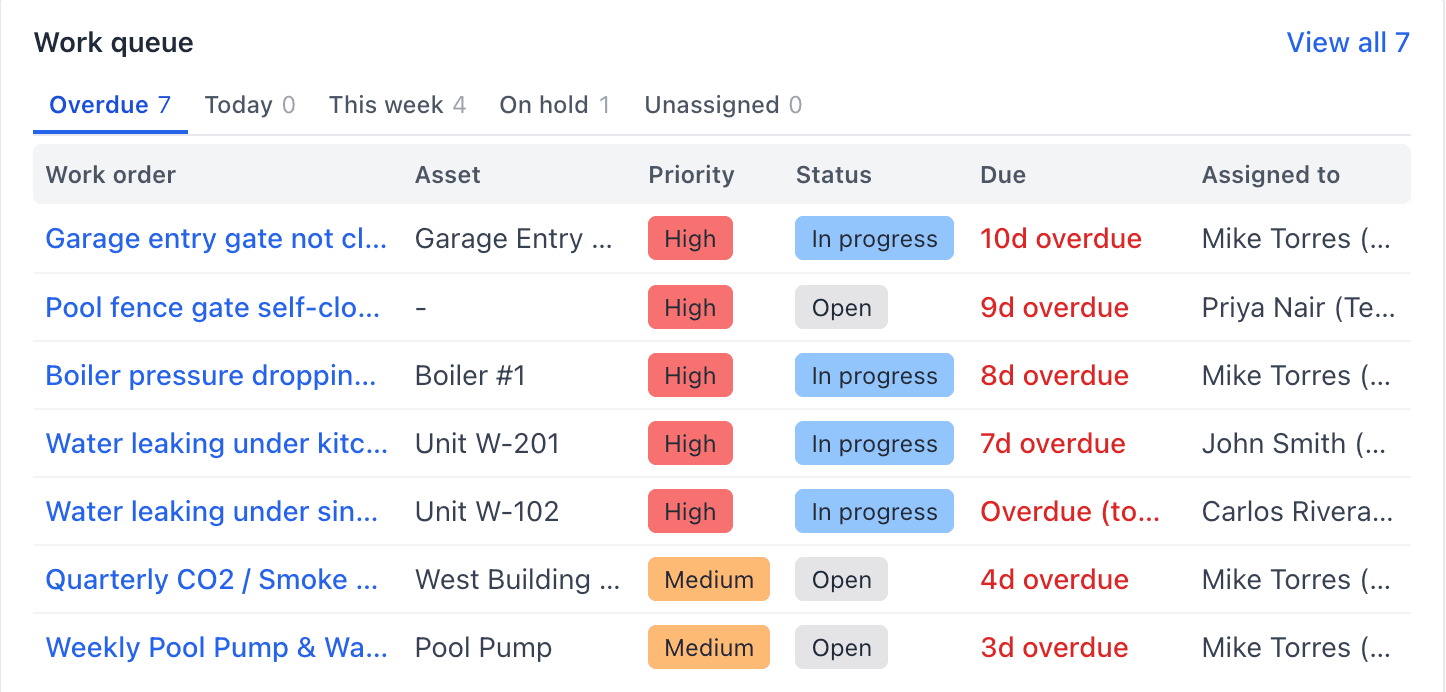
Unassigned work has its own tab too, so nothing sits without an owner. To move several jobs to new days or people at once, use the drag-and-drop scheduling board.
3. Catch preventive maintenance that's slipping
The Preventive maintenance card lists PM work that's overdue and what's coming up in the next 7 days, with the maintenance plan each one came from. Late PM is the early warning for tomorrow's breakdown.
4. Report on overdue work
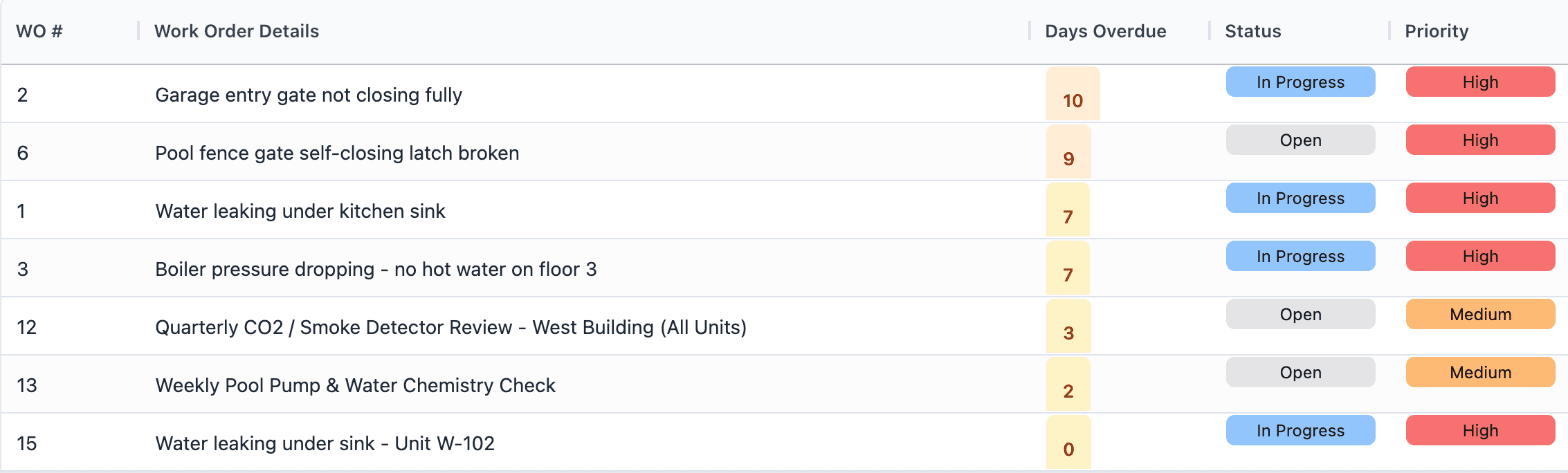
Reports → Overdue Work Orders gives you the totals: how many jobs are overdue, how many are high priority, how many are more than a week or a month late, how many are unassigned and the average days overdue.

The list is sorted with the most overdue first, and the days overdue are color-coded. Filter by Overdue Range (1-7, 8-30 or 30+ days), Priority, Assigned To or Location, then Export CSV or Export PDF for your weekly meeting.
5. Check overdue work from your phone
In the MaintainNow app, tap Overdue & Open on the dashboard to see the same list, with due dates in red. Supervisors can check it between jobs.
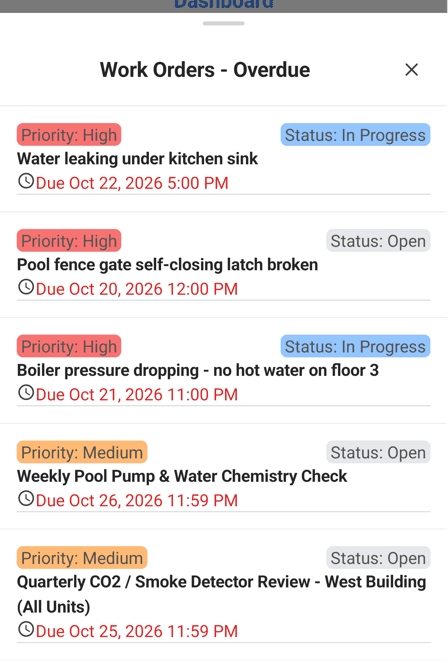

Illustration: overdue work, checked between jobs.
Questions people ask
How do I find overdue work orders in MaintainNow?
The Home page shows the overdue count and an Overdue tab in the work queue. You can also run Reports → Overdue Work Orders, or filter the work order list by due date with the Overdue preset.
What counts as an overdue work order?
A work order that's past its due date and not completed yet.
Can I see overdue preventive maintenance separately?
Yes. The Preventive maintenance card on the Home page lists overdue PM work orders and the maintenance plan each one came from.
Can I export a list of overdue work orders?
Yes. The Overdue Work Orders report exports to CSV and PDF, and can be filtered by how overdue, priority, assignee and location.
Can technicians see overdue work on their phone?
Yes. The MaintainNow app's dashboard has an Overdue & Open card that opens the list of overdue work orders.
Related guides
- Plan your maintenance week on a drag-and-drop scheduling board
- Maintenance KPI dashboard: overdue work, MTTR and team performance
- Automate preventive maintenance in 5 minutes
Stay ahead of the backlog
Give every job a due date and let MaintainNow tell you what's slipping.
Start free with MaintainNowSet this up in your own facility
Start a free MaintainNow trial and follow these same steps with your own equipment.
Download the Mobile App:


✅ No credit card required • ✅ 30-day money-back guarantee • ✅ Setup in under 24 hours